> ## Documentation Index
> Fetch the complete documentation index at: https://docs.replit.com/llms.txt
> Use this file to discover all available pages before exploring further.
# 모바일 앱에서 이미지 저장하기
> 프로필 사진 등의 이미지를 각 플레이어에 연결해 App Storage에 저장하세요.
export const AiPrompt = ({children}) => {
return
{children}
;
};
export const profileImagesPrompt = "Store the profile photos players take in App Storage, linked to their account.";
PixelGames에는 플레이어가 찍은 사진을 보관할 곳이 필요합니다. 이 가이드는 플레이어가 이미
[로그인](/ko/build/mobile-login)할 수 있다고 가정합니다. 저장소는 누가 업로드하는지 아는 것에
의존하기 때문입니다.
{profileImagesPrompt}
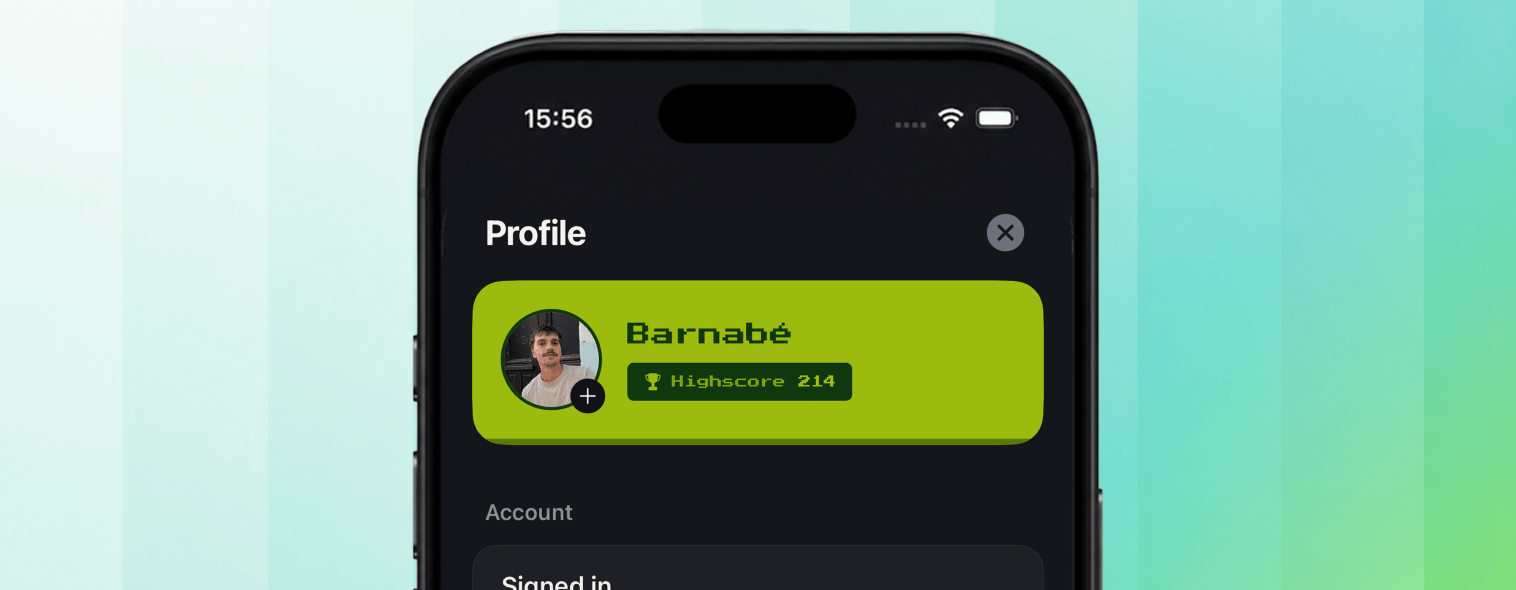
Agent가 [App Storage](/features/data-and-storage/object-storage)를 연결하고, 각 업로드를
로그인한 플레이어와 연결합니다. 이렇게 하면 PixelGames는 업로드된 사진을 이름 옆에 표시하는
실제 프로필을 보여줄 수 있습니다.
 ## 테스트하기
1. 기존 계정으로 PixelGames에 로그인하세요.
2. 프로필 사진을 찍거나 선택해 업로드하세요.
3. 앱을 닫고 다시 열어 사진이 그대로 있는지 확인하세요.
4. 같은 계정으로 두 번째 폰에서 로그인해 같은 사진이 표시되는지 확인하세요.
## 문제 해결
* **로그인했지만 사진이 표시되지 않음:** 앱이 예상과 다른 저장소나 인증 인스턴스를 가리키고
있을 가능성이 있습니다. Agent에게 연결을 확인하도록 요청하세요.
* **업로드가 실패함:** 업로드 전에 앱이 카메라와 저장소 권한을 요청했는지 확인하세요.
## 다음 단계
Expo Go에서 전체 네이티브 접근이 가능한 개발 빌드로 넘어가보세요.
PixelGames를 심사에 제출해보세요.
## 관련 항목
* [로그인 추가하기](/ko/build/mobile-login)
* [카메라 사용하기](/ko/build/mobile-camera)
* [PixelGames에 결제 추가하기](/ko/build/mobile-payments)
## 테스트하기
1. 기존 계정으로 PixelGames에 로그인하세요.
2. 프로필 사진을 찍거나 선택해 업로드하세요.
3. 앱을 닫고 다시 열어 사진이 그대로 있는지 확인하세요.
4. 같은 계정으로 두 번째 폰에서 로그인해 같은 사진이 표시되는지 확인하세요.
## 문제 해결
* **로그인했지만 사진이 표시되지 않음:** 앱이 예상과 다른 저장소나 인증 인스턴스를 가리키고
있을 가능성이 있습니다. Agent에게 연결을 확인하도록 요청하세요.
* **업로드가 실패함:** 업로드 전에 앱이 카메라와 저장소 권한을 요청했는지 확인하세요.
## 다음 단계
Expo Go에서 전체 네이티브 접근이 가능한 개발 빌드로 넘어가보세요.
PixelGames를 심사에 제출해보세요.
## 관련 항목
* [로그인 추가하기](/ko/build/mobile-login)
* [카메라 사용하기](/ko/build/mobile-camera)
* [PixelGames에 결제 추가하기](/ko/build/mobile-payments)