> ## Documentation Index
> Fetch the complete documentation index at: https://docs.replit.com/llms.txt
> Use this file to discover all available pages before exploring further.
# 게시 비용
> 앱의 필요에 따라 확장되는 유연한 게시 비용. 투명한 크레딧 기반 청구로 사용한 만큼만 지불하세요.
export const AiPrompt = ({children}) => {
return
{children}
;
};
export const StaticDeploymentOutboundPerGiB = '$0.10';
export const DedicatedLargeVm = '$160.00';
export const DedicatedMediumVm = '$80.00';
export const DedicatedSmallVm = '$40.00';
export const SharedMediumVm = '$20.00';
export const ScheduledDeployment = '$1.00';
export const SchedulerPrice = '$0.00';
export const ScheduledComputeUnit = '$3.20';
export const AutoscaleDeployment = '$1.00';
export const AutoscaleRequests = '$1.20';
export const AutoscaleComputeUnit = '$3.20';
export const AutoscaleBaseFee = '$1';
Replit의 게시 비용은 앱의 필요에 따라 확장되도록 설계되었습니다. 앱이 요청을 처리할 때만 요금이 청구되는 사용량 기반 청구 방식과 일관된 워크로드를 위한 예측 가능한 정액 요금 중에서 선택하세요.
## 청구 방식
모든 게시 비용은 월간 크레딧에서 차감됩니다. 월간 크레딧이 완전히 소진된 후에만 사용량 기반 요금이 청구됩니다.
* **Starter 플랜**: 무료 게시 앱 1개 포함. 배포는 30일 후 만료되지만 재게시 가능. 자세한 내용은 [Starter 플랜](/billing/plans/starter-plan)을 참조하세요.
* **[Core 플랜](/billing/plans/replit-core)**: 월간 크레딧 포함; [요금제](https://replit.com/pricing) 참조
* **[Pro 플랜](/billing/plans/replit-pro)**: 단계별 월간 크레딧; 자세한 내용은 [Replit Pro](/billing/plans/replit-pro) 및 [요금 페이지](https://replit.com/pricing) 참조
크레딧은 모든 게시 비용에 자동으로 적용됩니다. 미사용 크레딧은 다음 달로 이월되지 않습니다. [사용량 기반 청구](/billing/about-usage-based-billing)에 대해 자세히 알아보세요.
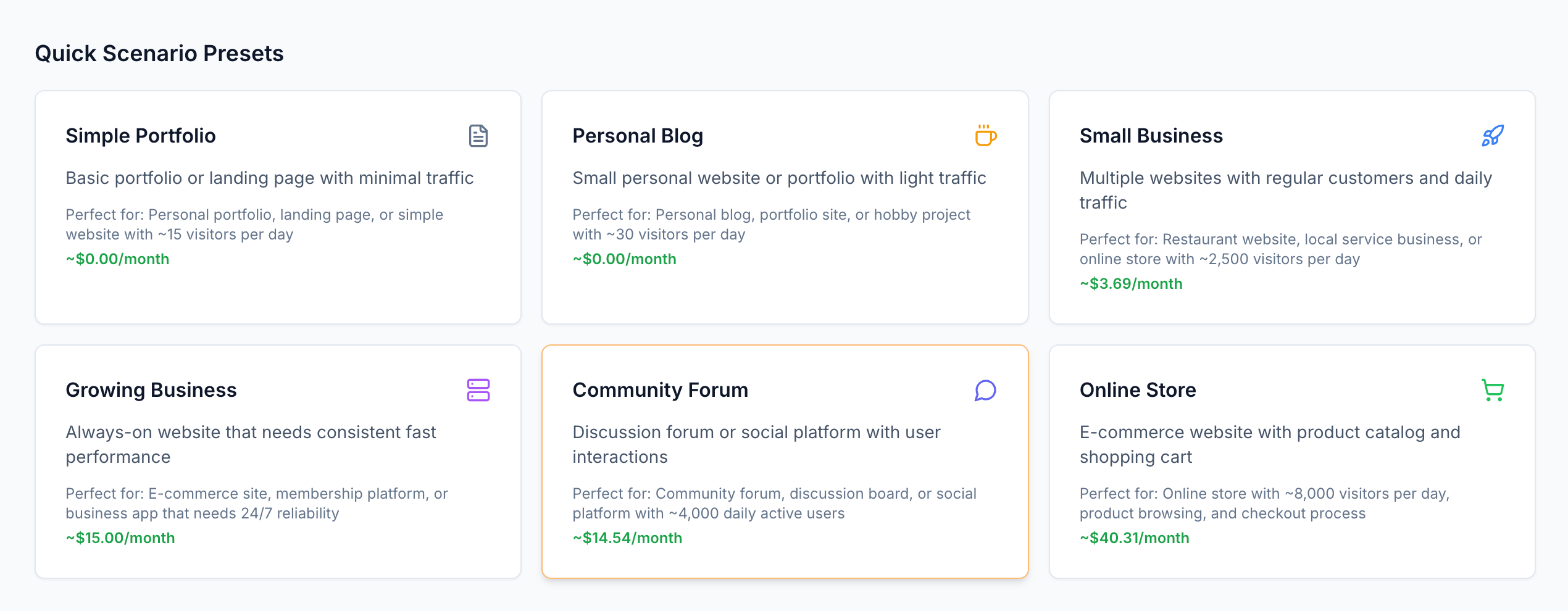
게시 비용을 직접 이해하려면 [인터랙티브 요금 계산기](https://deployment-pricing.replit.app/)를 탐색해 보세요.
 ## 배포 유형
앱의 트래픽 패턴과 리소스 요구 사항에 가장 적합한 배포 유형을 선택하세요.
트래픽이 가변적인 앱에 적합합니다. 앱이 요청을 처리할 때만 요금이 청구되며, 유휴 상태에서는 요금이 없습니다.
**적합한 경우:** 예측할 수 없는 트래픽 패턴을 가진 웹 앱, API, 서비스
[Autoscale 배포에 대해 자세히 알아보기](/references/publishing/autoscale-deployments)
**전용 리소스로 예측 가능한 월간 비용**
지속적으로 실행되는 보장된 컴퓨팅 리소스입니다. 성능 요구 사항에 따라 공유 또는 전용 VM 중에서 선택하세요.
**적합한 경우:** 안정적인 트래픽이나 보장된 리소스 요구 사항이 있는 프로덕션 앱
[Reserved VM 배포에 대해 자세히 알아보기](/references/publishing/reserved-vm-deployments)
**백그라운드 작업 및 자동화를 위한 비용 효율적인 방법**
영구적인 인프라를 유지하지 않고 일정에 따라 코드를 실행합니다.
**적합한 경우:** 백그라운드 작업, 데이터 처리, 자동화된 작업
[예약 배포에 대해 자세히 알아보기](/references/publishing/scheduled-deployments)
**글로벌 배포를 통한 정적 콘텐츠의 최소 비용**
CDN 배포로 정적 사이트를 게시하고 데이터 전송에 대해서만 비용을 지불합니다.
**적합한 경우:** 문서 사이트, 포트폴리오, 단일 페이지 애플리케이션
[정적 배포에 대해 자세히 알아보기](/references/publishing/static-deployments)
## 요청 기반 청구 이해하기
Autoscale 배포를 사용하면 앱이 실제로 작동하는 동안에만 요금이 청구됩니다.
아무도 앱을 방문하지 않으면 요금이 없습니다.
Autoscale 배포는 요청 기반 청구 방식을 사용합니다. 앱이 트래픽을 처리할 때만 요금이 청구됩니다. 작동 방식은 다음과 같습니다:
1. 첫 번째 요청이 도착하면 **앱이 시작됩니다** (유휴 상태인 경우)
2. 컴퓨팅 리소스를 사용하여 **요청을 처리합니다**
3. 15분 동안 활동이 없으면 **유휴 상태로 전환됩니다**
**청구 시간:** 복잡한 앱이라도 요청당 1\~2초에 불과한 경우가 많습니다.
### 요청 기반 청구 타임라인
아무도 앱을 방문하지 않으면 요금이 없습니다. 앱이 바쁘면 사용된 컴퓨팅 리소스에 대한 요금이 청구됩니다.
누군가 앱을 방문할 때 발생하는 일의 타임라인:
## 배포 유형
앱의 트래픽 패턴과 리소스 요구 사항에 가장 적합한 배포 유형을 선택하세요.
트래픽이 가변적인 앱에 적합합니다. 앱이 요청을 처리할 때만 요금이 청구되며, 유휴 상태에서는 요금이 없습니다.
**적합한 경우:** 예측할 수 없는 트래픽 패턴을 가진 웹 앱, API, 서비스
[Autoscale 배포에 대해 자세히 알아보기](/references/publishing/autoscale-deployments)
**전용 리소스로 예측 가능한 월간 비용**
지속적으로 실행되는 보장된 컴퓨팅 리소스입니다. 성능 요구 사항에 따라 공유 또는 전용 VM 중에서 선택하세요.
**적합한 경우:** 안정적인 트래픽이나 보장된 리소스 요구 사항이 있는 프로덕션 앱
[Reserved VM 배포에 대해 자세히 알아보기](/references/publishing/reserved-vm-deployments)
**백그라운드 작업 및 자동화를 위한 비용 효율적인 방법**
영구적인 인프라를 유지하지 않고 일정에 따라 코드를 실행합니다.
**적합한 경우:** 백그라운드 작업, 데이터 처리, 자동화된 작업
[예약 배포에 대해 자세히 알아보기](/references/publishing/scheduled-deployments)
**글로벌 배포를 통한 정적 콘텐츠의 최소 비용**
CDN 배포로 정적 사이트를 게시하고 데이터 전송에 대해서만 비용을 지불합니다.
**적합한 경우:** 문서 사이트, 포트폴리오, 단일 페이지 애플리케이션
[정적 배포에 대해 자세히 알아보기](/references/publishing/static-deployments)
## 요청 기반 청구 이해하기
Autoscale 배포를 사용하면 앱이 실제로 작동하는 동안에만 요금이 청구됩니다.
아무도 앱을 방문하지 않으면 요금이 없습니다.
Autoscale 배포는 요청 기반 청구 방식을 사용합니다. 앱이 트래픽을 처리할 때만 요금이 청구됩니다. 작동 방식은 다음과 같습니다:
1. 첫 번째 요청이 도착하면 **앱이 시작됩니다** (유휴 상태인 경우)
2. 컴퓨팅 리소스를 사용하여 **요청을 처리합니다**
3. 15분 동안 활동이 없으면 **유휴 상태로 전환됩니다**
**청구 시간:** 복잡한 앱이라도 요청당 1\~2초에 불과한 경우가 많습니다.
### 요청 기반 청구 타임라인
아무도 앱을 방문하지 않으면 요금이 없습니다. 앱이 바쁘면 사용된 컴퓨팅 리소스에 대한 요금이 청구됩니다.
누군가 앱을 방문할 때 발생하는 일의 타임라인:
요청 기반 청구 타임라인
먼저 서버가 시작됩니다. 그런 다음 요청을 처리합니다. 마지막으로 유휴 상태로 전환됩니다. 요청 처리 중 CPU와 메모리에 대해서만 비용을 지불합니다.
여러 요청이 동시에 도착하면(쌓인 파란색 막대처럼) 동일한 컴퓨팅 리소스를 공유합니다.
청구 시간은 모든 동시 요청을 포함하도록 확장되지만 각 요청에 대해 별도로 청구되지 않습니다. 서버가 작동하는 총 시간에 대해서만 청구됩니다.
초록색 막대 사이의 간격은 유휴 시간 동안의 비용 절감을 나타냅니다. 세션이 끝나면 서버가 종료됩니다.
### 컴퓨팅 유닛 설명
컴퓨팅 유닛은 앱이 수행하는 계산 작업을 측정합니다:
* **CPU 시간**: 사용된 처리 능력 (CPU 1초 = 컴퓨팅 유닛 18개)
* **메모리 시간**: 소비된 RAM (GB-초 1개 = 컴퓨팅 유닛 2개)
* **지속 시간**: 앱이 각 요청에 대해 작업하는 시간
## 요금 분석
앱이 요청을 처리할 때만 비용이 청구됩니다. 수요에 따라 자동으로 확장됩니다.
| 구성 요소 | 요금 |
| :-------------------- | ---------------------: |
| **기본 요금** (월별) | {AutoscaleBaseFee} |
| **컴퓨팅 유닛** (100만 유닛당) | {AutoscaleComputeUnit} |
| **요청** (100만 요청당) | {AutoscaleRequests} |
백그라운드 작업 및 예약된 작업을 실행합니다.
| 구성 요소 | 요금 |
| :-------------------- | ---------------------: |
| **기본 요금** (월별) | {ScheduledDeployment} |
| **컴퓨팅 유닛** (100만 유닛당) | {ScheduledComputeUnit} |
| **스케줄러** | {SchedulerPrice} |
예측 가능한 월간 비용으로 전용 컴퓨팅 리소스를 제공합니다.
#### 공유 VM
| 구성 | 요금 (월별) |
| :- | ------: |
\| **0.5 vCPU / 2GB RAM** | {SharedMediumVm} |
#### 전용 VM
| 구성 | 요금 (월별) |
| :-------------------- | ------------------: |
| **1 vCPU / 4GB RAM** | {DedicatedSmallVm} |
| **2 vCPU / 8GB RAM** | {DedicatedMediumVm} |
| **4 vCPU / 16GB RAM** | {DedicatedLargeVm} |
글로벌 CDN 배포로 정적 사이트를 호스팅합니다.
| 구성 요소 | 요금 |
| :--------------- | -------------------------------: |
| **호스팅** | 무료 |
| **데이터 전송** (GB당) | {StaticDeploymentOutboundPerGiB} |
## 앱 유형별 비용 예시
다음 예시는 다양한 유형의 애플리케이션에 대한 현실적인 비용을 보여줍니다.
**트래픽:** 일일 방문자 50명, 각 3페이지 뷰 = 월 4,500 요청
| 구성 요소 | 사용량 | 비용 |
| :--------- | :-------- | -----------------: |
| **기본 요금** | 월별 | {AutoscaleBaseFee} |
| **컴퓨팅 유닛** | 13,500 유닛 | \~\$0.04 |
| **요청** | 4,500 | \~\$0.01 |
| **합계** | | **\~\$1.05** |
**트래픽:** 일일 방문자 500명, 각 5페이지 뷰 = 월 75,000 요청
| 구성 요소 | 사용량 | 비용 |
| :--------- | :--------- | -----------------: |
| **기본 요금** | 월별 | {AutoscaleBaseFee} |
| **컴퓨팅 유닛** | 600,000 유닛 | \~\$1.92 |
| **요청** | 75,000 | \~\$0.15 |
| **합계** | | **\~\$3.07** |
**트래픽:** 일일 API 호출 10,000건 = 월 300,000 요청
| 구성 요소 | 사용량 | 비용 |
| :--------- | :------- | -----------------: |
| **기본 요금** | 월별 | {AutoscaleBaseFee} |
| **컴퓨팅 유닛** | 3.96M 유닛 | \~\$12.67 |
| **요청** | 300,000 | \~\$0.60 |
| **합계** | | **\~\$14.27** |
**사용량:** 예약 배포를 통한 일일 데이터 처리
| 구성 요소 | 사용량 | 비용 |
| :--------- | :-------- | --------------------: |
| **예약 배포** | 기본 요금 | {ScheduledDeployment} |
| **컴퓨팅 유닛** | 50,000 유닛 | \~\$0.16 |
| **합계** | | **\~\$1.16** |
## 비용 모니터링 및 제어
예기치 않은 요금을 방지하기 위해 지출 한도 및 예산을 설정하세요.
사용량 대시보드에서 실시간 소비량 및 비용을 추적하세요.
[Agent](/references/agent/overview)가 청구서에 미치는 영향을 이해하세요.
로그 보기, 성능 추적, 게시된 앱 상태 모니터링.