> ## Documentation Index
> Fetch the complete documentation index at: https://docs.replit.com/llms.txt
> Use this file to discover all available pages before exploring further.
# 2026年10月2日
> 1分で読めます
## 新着情報
* [JevがReplit AI Integrationsで利用可能に](#jev-is-now-available-through-replit-ai-integrations)
* [OpenAIとAnthropicの新モデル](#new-models-from-openai-and-anthropic)
* [新しいSettingsページ](#new-settings-page)
* [Workspace設定](#workspace-settings)
## プラットフォーム
### JevがReplit AI Integrationsで利用可能に
APIキーを管理することなく、高速で構造化されたAIの判断により、コンテンツの分類、リクエストのルーティング、リードのスコアリングを行うアプリを構築できます。
始めるには、AgentにReplit AI IntegrationsでOpenRouter経由の`jev-latest`を使用するよう依頼してください。
詳細は[Replit AI IntegrationsのJev](/ja/features/integrations/replit-ai-integrations#jev)をご覧ください。
### OpenAIとAnthropicの新モデル
Agentでの構築時に、GPT-6.1 SolとClaude Sonnet 5.5を選択できるようになりました。Sonnet 5.5はPower Modeで、GPT-6.1 SolはMax Modeで利用できます。
モデルに関する私たちの考え方について詳しくは、[最近のブログ記事](https://replit.com/blog/free-the-models)をご覧ください。
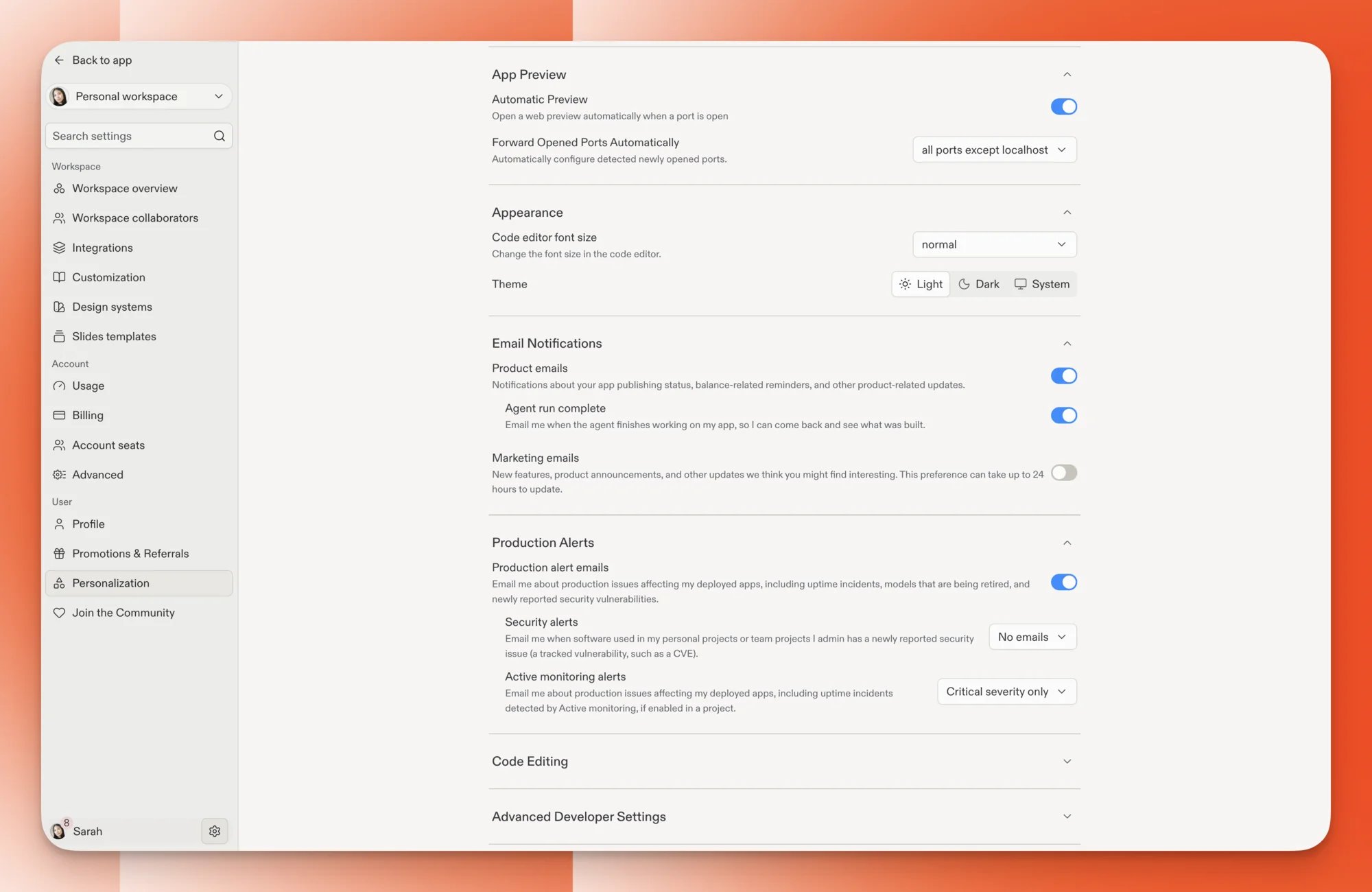
### 新しいSettingsページ
Settingsは、モーダルではなく独立したページとして開くようになりました。IntegrationsとSecurityも、それぞれ専用のページになります。
プロジェクトやチャットは背後で開いたままなので、Settingsを閉じるとすぐに元の場所に戻れます。
 ## Enterprise
### Workspace設定
会社全体のルールを設定し、特定のチーム(Workspace)には例外を設け、チーム管理者(Workspace管理者)が一部の設定を自分で管理できるようにします。
詳細は[詳細設定](/ja/teams/advanced-settings)をご覧ください。
## Enterprise
### Workspace設定
会社全体のルールを設定し、特定のチーム(Workspace)には例外を設け、チーム管理者(Workspace管理者)が一部の設定を自分で管理できるようにします。
詳細は[詳細設定](/ja/teams/advanced-settings)をご覧ください。