> ## Documentation Index
> Fetch the complete documentation index at: https://docs.replit.com/llms.txt
> Use this file to discover all available pages before exploring further.
# August 28, 2026
> 1分で読めます
## 新機能
* [インテリジェントなモデルルーティング](#intelligent-model-routing)
* [Growth Skillsで最初の顧客を見つける](#find-your-first-customers-with-growth-skills)
* [Enterprise向けインテリジェントなモデルルーティング](#intelligent-model-routing-for-enterprise)
* [コネクタをカスタマイズする](#customize-connectors)
## Agent
### インテリジェントなモデルルーティング
インテリジェントなモデルルーティングは、品質とコストのバランスを取りながら、タスクに最適なモデルとEffortレベルを自動的に選択します。**Power**または**Max**で**Auto**を選択すると、作業の複雑さが変化するのに応じてReplitが各部分をルーティングします。より詳細な制御が必要な場合は、特定のモデルとEffortレベルを選択することもできます。
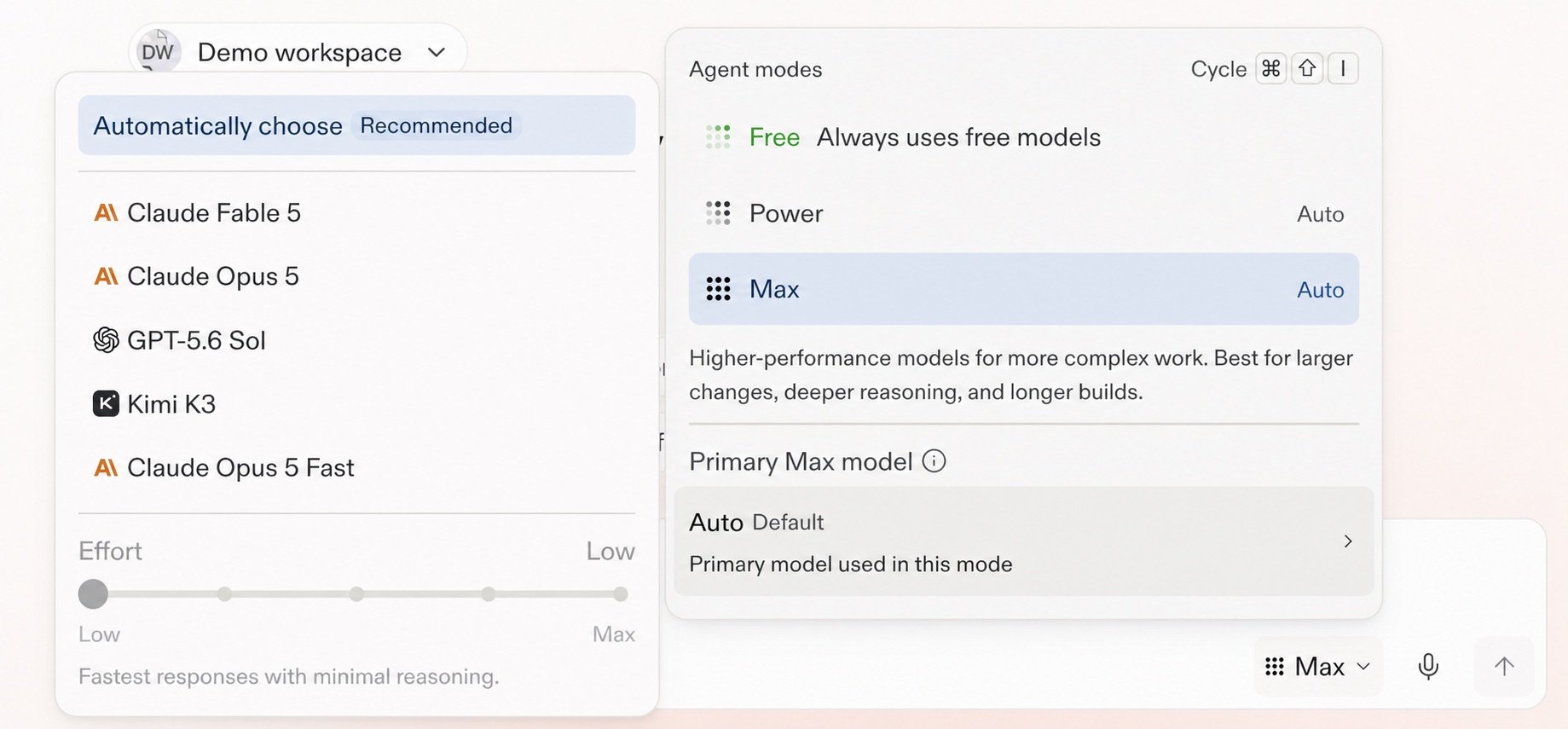 [インテリジェントなモデルルーティング](/ja/chat/auto-mode)について詳しく見る。
### Growth Skillsで最初の顧客を見つける
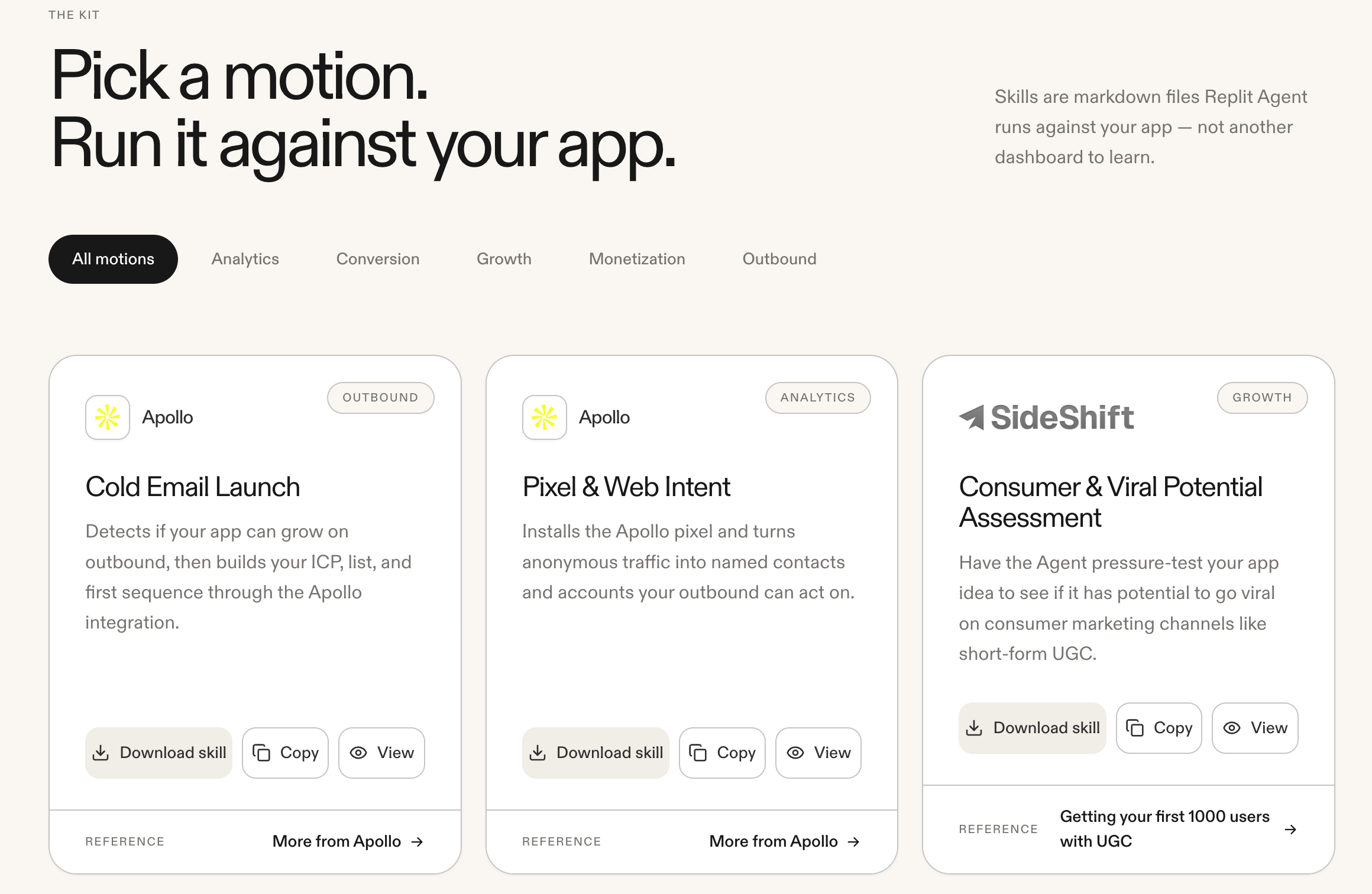
Agentで[Growth Skills](https://replit.com/growth-kit)を実行し、アプリの最初の顧客を見つけましょう。利用可能なパートナー連携には、Apollo、Clay、SideShift、RevenueCat、Stripe、PostHogが含まれます。
[インテリジェントなモデルルーティング](/ja/chat/auto-mode)について詳しく見る。
### Growth Skillsで最初の顧客を見つける
Agentで[Growth Skills](https://replit.com/growth-kit)を実行し、アプリの最初の顧客を見つけましょう。利用可能なパートナー連携には、Apollo、Clay、SideShift、RevenueCat、Stripe、PostHogが含まれます。
 ### Enterprise向けインテリジェントなモデルルーティング
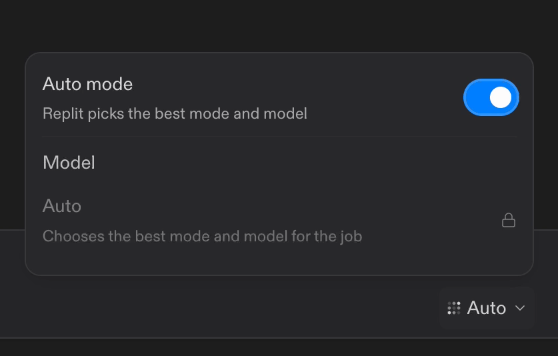
インテリジェントなモデルルーティングは、EnterpriseワークスペースのデフォルトのAgentモードになりました。**Auto mode**をオンにすると、Replitは各タスクに最適なモードと許可されたモデルを選択します。アカウント管理者はワークスペースごとにモデルの利用可否を制御でき、**Auto mode**をオフにして有効化されたモデルを手動で選択することもできます。EnterpriseのAgentモードメニューは**Power**と**Max**を使用するようになり、**Lite**は含まれなくなりました。
### Enterprise向けインテリジェントなモデルルーティング
インテリジェントなモデルルーティングは、EnterpriseワークスペースのデフォルトのAgentモードになりました。**Auto mode**をオンにすると、Replitは各タスクに最適なモードと許可されたモデルを選択します。アカウント管理者はワークスペースごとにモデルの利用可否を制御でき、**Auto mode**をオフにして有効化されたモデルを手動で選択することもできます。EnterpriseのAgentモードメニューは**Power**と**Max**を使用するようになり、**Lite**は含まれなくなりました。
 [Enterpriseモデルコントロール](/ja/features/collaboration/enterprise-model-controls)について詳しく見る。
## インテグレーション
### コネクタをカスタマイズする
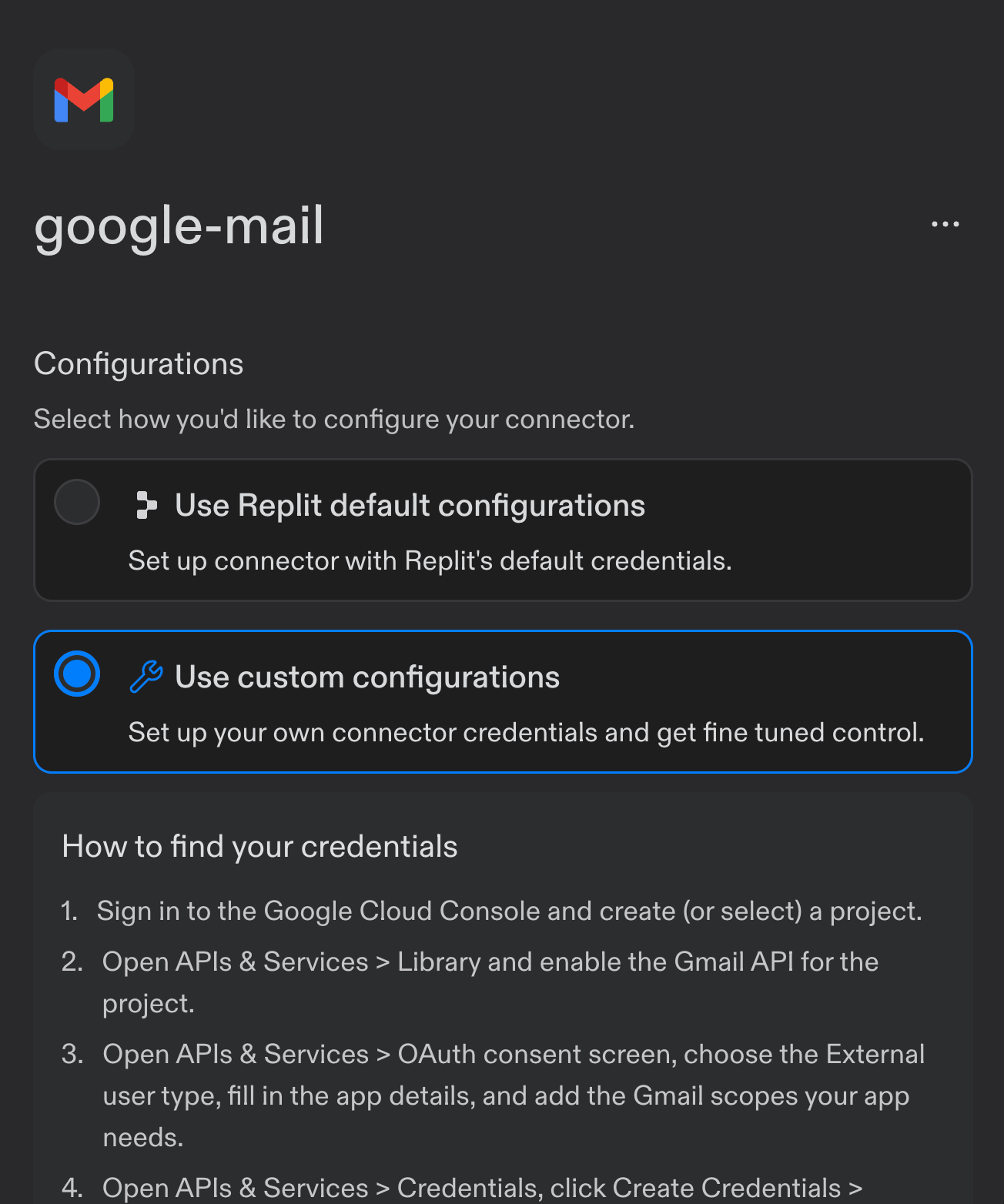
Enterprise組織は、コネクタにカスタムOAuth設定を使用できるようになりました。例えば、Replitのデフォルトの代わりに、独自の**Client ID**、**Client Secret**、**scopes**でGmailを設定できます。
[Enterpriseモデルコントロール](/ja/features/collaboration/enterprise-model-controls)について詳しく見る。
## インテグレーション
### コネクタをカスタマイズする
Enterprise組織は、コネクタにカスタムOAuth設定を使用できるようになりました。例えば、Replitのデフォルトの代わりに、独自の**Client ID**、**Client Secret**、**scopes**でGmailを設定できます。
 [コネクタ用のカスタムOAuthアプリを設定する方法](/ja/features/integrations/overview#configuring-oauth-app-with-replit)をご覧ください。