> ## Documentation Index
> Fetch the complete documentation index at: https://docs.replit.com/llms.txt
> Use this file to discover all available pages before exploring further.

# ウェブサイトをReplit Designにインポートする

> 既存のウェブサイトをReplit Designのデザインフレームとして再現し、提案やチャットで仕上げてから、アプリとしてBuildしましょう。

⏰ *所要時間の目安: 10分*

始めたいデザインが、すでにウェブ上にライブで存在していることがあります。自分の現在のサイトや、見た目を再現したいページなどです。Import from URLは、ウェブサイトを探索・仕上げ・インタラクティブなアプリへとBuildできるデザインフレームとして再現します。

例として、Replitが構築したクリエイティブスタジオ向けランディングページ[creative-studio-landing.replit.app](https://creative-studio-landing.replit.app)を使用します。

## 始める前に

以下が必要です:

* [Replitアカウント](https://replit.com)。
* 公開されているウェブサイトのURL、または上記の例のURL。

## ウェブサイトをインポートする

<Steps>
  <Step title="サイトのURLをコピーする">
    自分のサイトを使うか、次の例をコピーします: `https://creative-studio-landing.replit.app`。
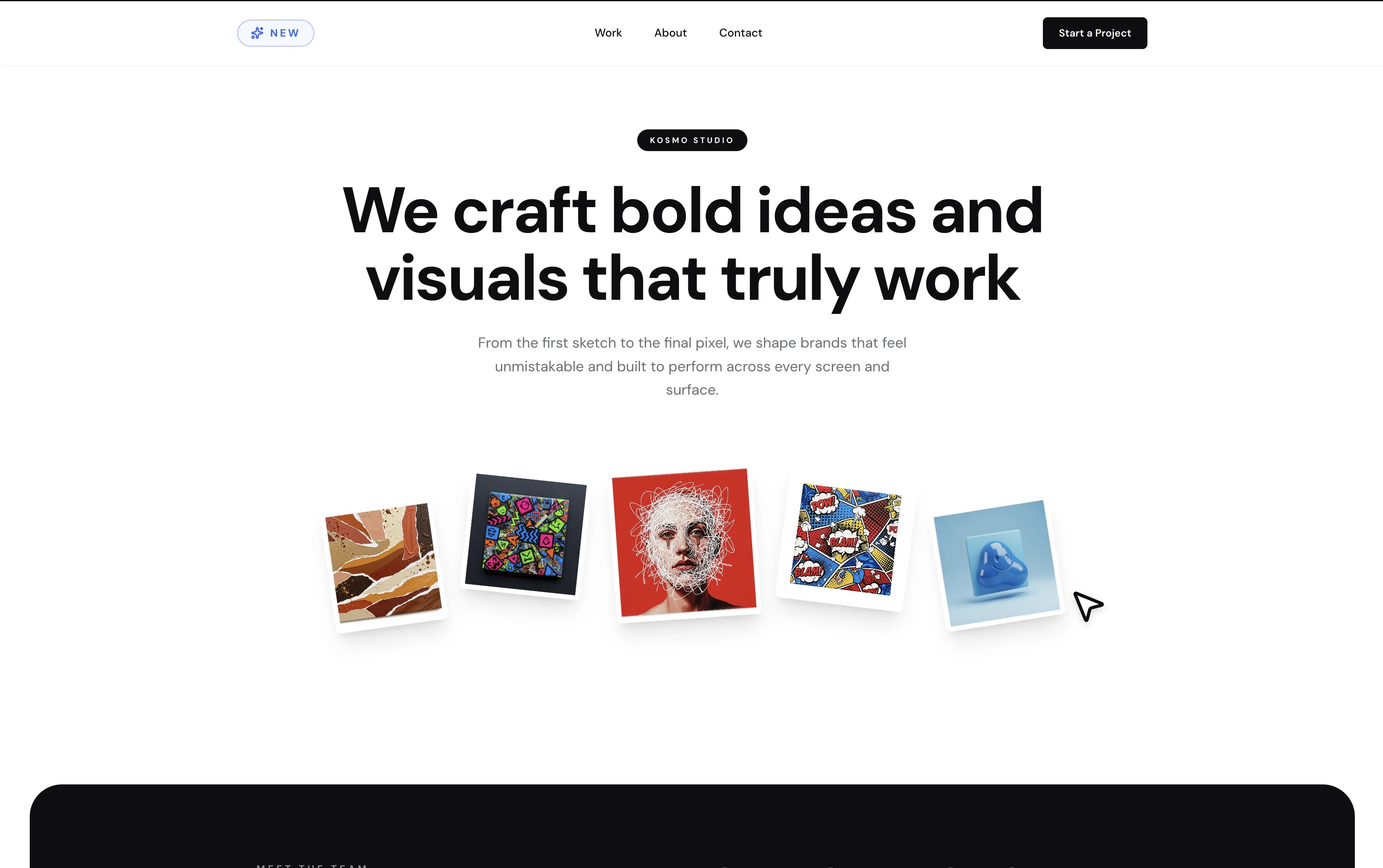
    <Frame caption="例として使うサイト: クリエイティブスタジオのランディングページ、Kosmo Studio。">
      <img src="https://mintcdn.com/replit/9Q_lVrxG2Dh35jz1/images/design/import-from-url/url-example-site.webp?fit=max&auto=format&n=9Q_lVrxG2Dh35jz1&q=85&s=267942c299f996750150594e6b48b55d" alt="「We craft bold ideas and visuals that truly work」という見出しと、扇状に並んだアートワークカードを持つKosmo Studioのランディングページ" width="3440" height="2160" data-path="images/design/import-from-url/url-example-site.webp" />
    </Frame>
  </Step>

  <Step title="Replit Designを開く">
    [replit.com/design](https://replit.com/design)にアクセスし、プロンプトボックスの下にある**Import URL**を選択します。Agentがサイトの見た目と雰囲気を出発点として再現します。
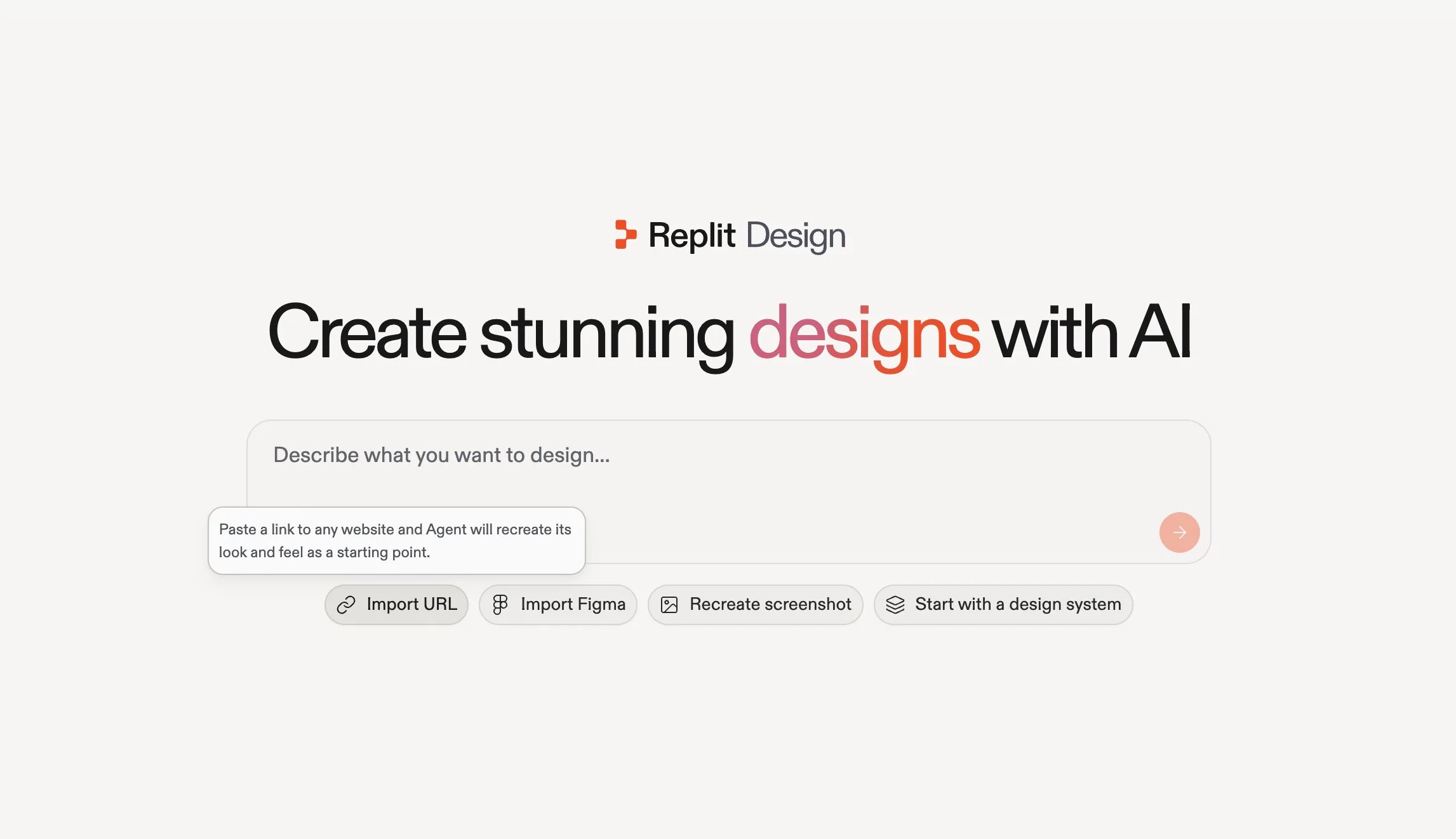
    <Frame caption="Replit DesignホームのImport URL: 任意のウェブサイトへのリンクを貼り付けます。">
      <img src="https://mintcdn.com/replit/9Q_lVrxG2Dh35jz1/images/design/import-from-url/design-import-url.webp?fit=max&auto=format&n=9Q_lVrxG2Dh35jz1&q=85&s=e4cbc39f9f040bcb1b4950984d27bcd2" alt="Import URLオプションが選択されたReplit Designのホーム画面。「Paste a link to any website and Agent will recreate its look and feel as a starting point」というツールチップが表示されている" width="2293" height="1322" data-path="images/design/import-from-url/design-import-url.webp" />
    </Frame>
  </Step>

  <Step title="URLを貼り付けて構築を開始する">
    **Import URL**を選択すると、プロンプトに\*「Recreate the look and feel of this website:」\*があらかじめ入力されます。その後にURLを貼り付けて**Start**を選択します。
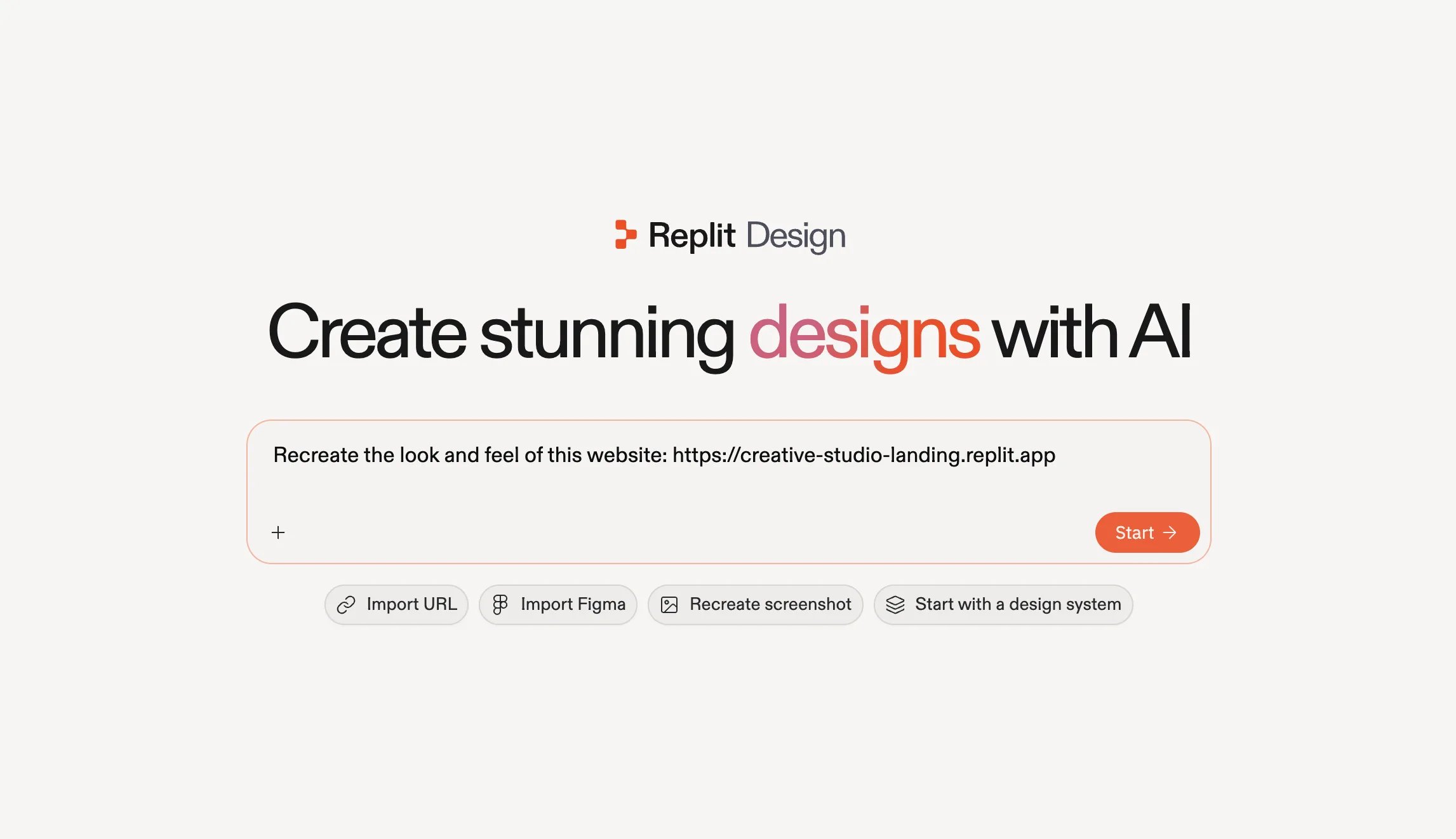
    <Frame caption="例のURLがすでに入力された再現プロンプト。開始の準備ができている。">
      <img src="https://mintcdn.com/replit/9Q_lVrxG2Dh35jz1/images/design/import-from-url/design-url-prompt.webp?fit=max&auto=format&n=9Q_lVrxG2Dh35jz1&q=85&s=ed6fcfa2a942facfe2d4ede695445926" alt="「Recreate the look and feel of this website」に続けて例のURLが入力されたReplit Designのプロンプトボックスと、Startボタン" width="2293" height="1322" data-path="images/design/import-from-url/design-url-prompt.webp" />
    </Frame>
  </Step>
</Steps>

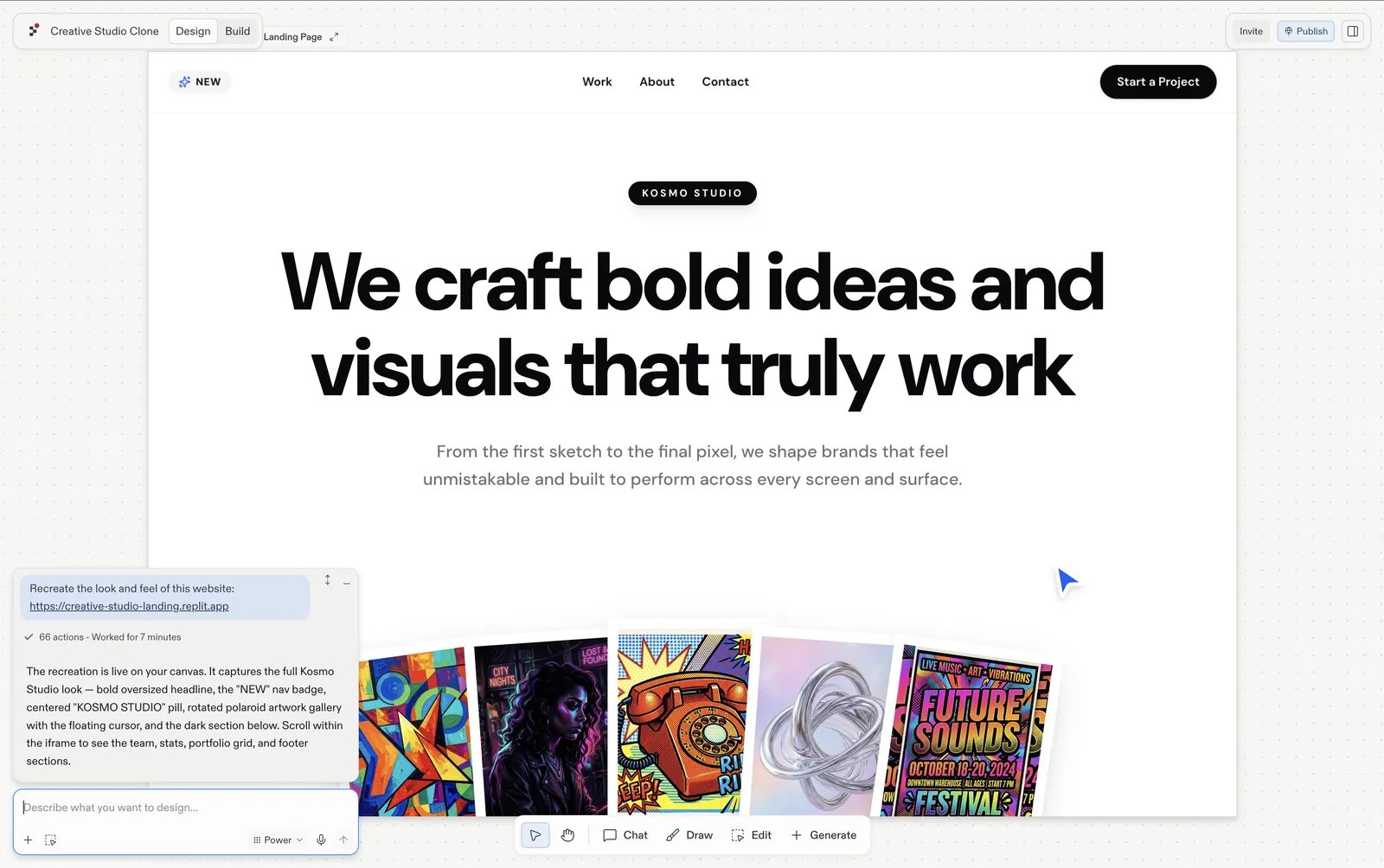
Agentがサイトをプロジェクト内のデザインフレームとして再現します。

<Frame caption="Replit Design内でデザインフレームとして再現されたKosmo Studioのランディングページ。">
  <img src="https://mintcdn.com/replit/9Q_lVrxG2Dh35jz1/images/design/import-from-url/url-import-result.webp?fit=max&auto=format&n=9Q_lVrxG2Dh35jz1&q=85&s=25c050750522f9306c84091ccb147e86" alt="Replit Design内でデザインフレームとして再現されたKosmo Studioのランディングページ。チャットパネルでは実行が完了とマークされている" width="1600" height="1004" data-path="images/design/import-from-url/url-import-result.webp" />
</Frame>

## 自分のものにする

インポートしたフレームを選択して、形作り直していきましょう:

* **[提案](/ja/design/explore-suggestions)に従う**: インポートしたフレームには、ダークなエディトリアル調のバリエーション、モバイルビューポート、問い合わせページなど、次のステップの提案があらかじめ用意されています。それぞれが新しいフレームとして生成されるので、元のフレームは比較用にそのまま残ります。
* **[チャットで話しかける](/ja/design/chat-about-your-design)**: フレームの下にある入力欄を使い、自分の言葉でブリーフィングしましょう。*「ポートフォリオの写真を入れ替えて」*、\*「ヒーローの文字をもっと太くして」\*のように。
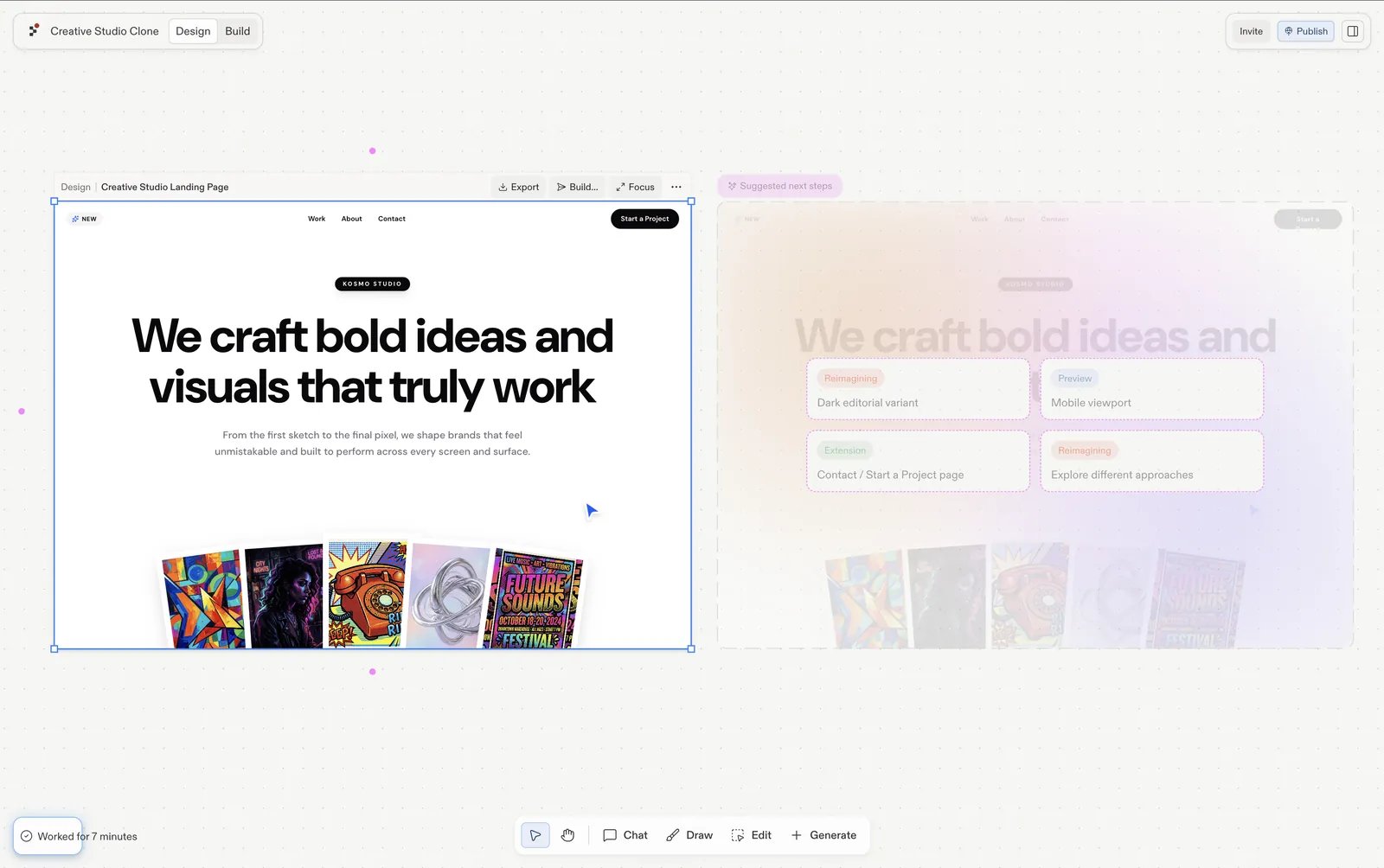
<Frame caption="選択したインポート済みフレームと、ダークなエディトリアル調のバリエーション、モバイルビューポート、問い合わせページを提案する次のステップ。">
  <img src="https://mintcdn.com/replit/9Q_lVrxG2Dh35jz1/images/design/import-from-url/url-make-it-yours.webp?fit=max&auto=format&n=9Q_lVrxG2Dh35jz1&q=85&s=d0ec30760d7803f73c8edd1a4427dcbd" alt="Replit Design内で選択された再現済みのCreative Studioフレーム。横にはSuggested next stepsパネルがあり、ダークなエディトリアル調のバリエーション、モバイルビューポート、問い合わせページ、異なるアプローチを提案している" width="1600" height="1004" data-path="images/design/import-from-url/url-make-it-yours.webp" />
</Frame>

## 次のステップ

<CardGroup cols={3}>
  <Card title="提案を探索する" icon="lightbulb" href="/ja/design/explore-suggestions">
    次に何をデザインすべきかを、ワンクリックずつ探索しましょう。
  </Card>

  <Card title="Visual Editor" icon="pen-to-square" href="/ja/design/visual-editor">
    テキスト、色、間隔、画像を直接磨き上げましょう。
  </Card>

  <Card title="デザインをBuildする" icon="hammer" href="/ja/design/build-your-design">
    完成したフレームを動作するアプリに変えましょう。
  </Card>
</CardGroup>