> ## Documentation Index
> Fetch the complete documentation index at: https://docs.replit.com/llms.txt
> Use this file to discover all available pages before exploring further.
# 連絡先にアクセスする
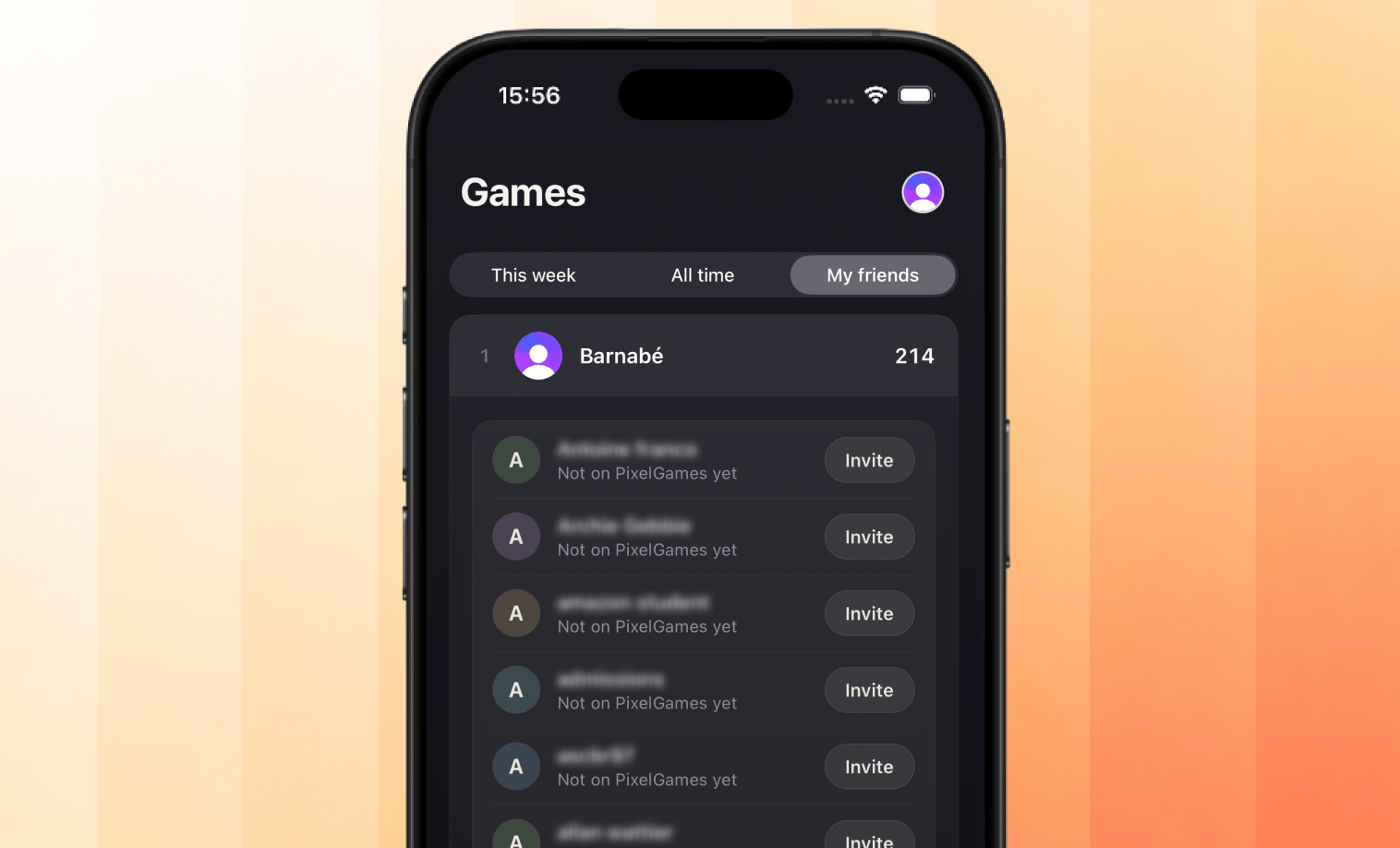
> どの友達がすでに PixelGames をプレイしているかをプレイヤーが見られるようにしましょう。
export const AiPrompt = ({children}) => {
return
{children}
;
};
export const contactsPrompt = "Let players pick friends from their contacts with the system contact picker. Show which of them already play PixelGames, along with their high scores.";
{contactsPrompt}
プレイヤーはシステムのピッカーを使って誰と共有するかを選ぶため、PixelGames は選択された連絡先しか
見ることができません。iOS と Android の両方で、アドレス帳への一括アクセス権限の代わりにこのピッカーが使われます。
PixelGames は共有された電話番号やメールアドレスを既存のプレイヤーと照合してそのスコアを表示し、
一致しない連絡先はそのままにされます。
 ## 次のステップ
PixelGames 全体で使われている他のネイティブ iOS パターンを見てみましょう。
プロフィール写真を App Storage に保存しましょう。
## 次のステップ
PixelGames 全体で使われている他のネイティブ iOS パターンを見てみましょう。
プロフィール写真を App Storage に保存しましょう。