> ## Documentation Index
> Fetch the complete documentation index at: https://docs.replit.com/llms.txt
> Use this file to discover all available pages before exploring further.
# データベースを追加する
> Velocity の車、空き状況、予約をリフレッシュ・再起動・公開後も保持しましょう。
export const AiPrompt = ({children}) => {
return
{children}
;
};
このガイドを終えると、Velocity のすべての車、空き状況スロット、予約が翌日も残り続けます。
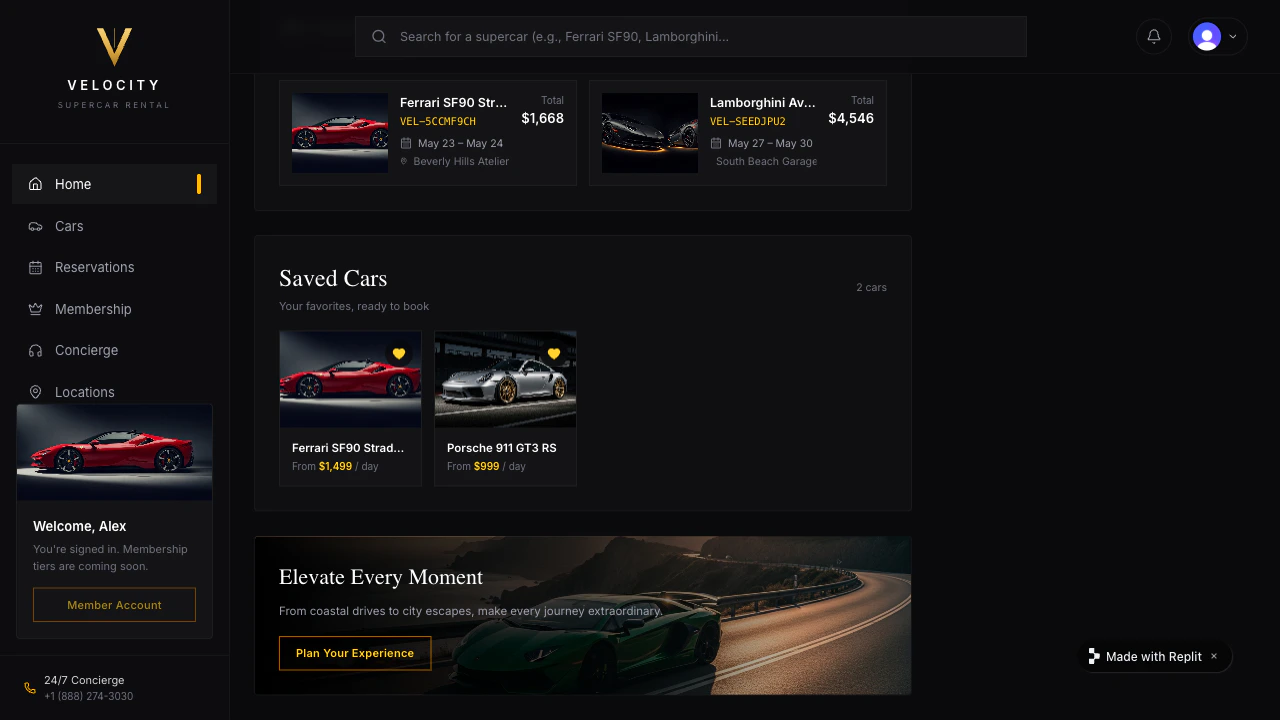 [ログインを追加する](/build/add-login) で Velocity にサインイン機能を追加しました。しかし、フリートの車や顧客が行った予約は、ページをリフレッシュすると消えてしまいます — これらはブラウザにしか存在していません。データベースを追加して、すべてのデータを永続化しましょう。
## データを保存するよう Agent に伝える
Velocity には Neon — Replit のマネージド Postgres データベース — を使います。Neon は同時予約を適切に処理し、実際の顧客トラフィックに合わせてスケールし、Agent が開発環境と本番環境を自動でプロビジョニングします。Neon ダッシュボードへのサインアップもキーの貼り付けも不要です。
Save Velocity's data to a database so cars, availability, and reservations don't disappear on refresh.
[ログインを追加する](/build/add-login) で Velocity にサインイン機能を追加しました。しかし、フリートの車や顧客が行った予約は、ページをリフレッシュすると消えてしまいます — これらはブラウザにしか存在していません。データベースを追加して、すべてのデータを永続化しましょう。
## データを保存するよう Agent に伝える
Velocity には Neon — Replit のマネージド Postgres データベース — を使います。Neon は同時予約を適切に処理し、実際の顧客トラフィックに合わせてスケールし、Agent が開発環境と本番環境を自動でプロビジョニングします。Neon ダッシュボードへのサインアップもキーの貼り付けも不要です。
Save Velocity's data to a database so cars, availability, and reservations don't disappear on refresh.
Use Neon (Postgres).
Save: each car (make, model, year, daily rate, photo, location), each car's availability calendar, and each reservation (pickup date, return date, car, customer).
Attach every reservation to the signed-in customer so each person only sees their own.
Prevent the same car from being booked on overlapping dates.
Tell me what to test after the change.
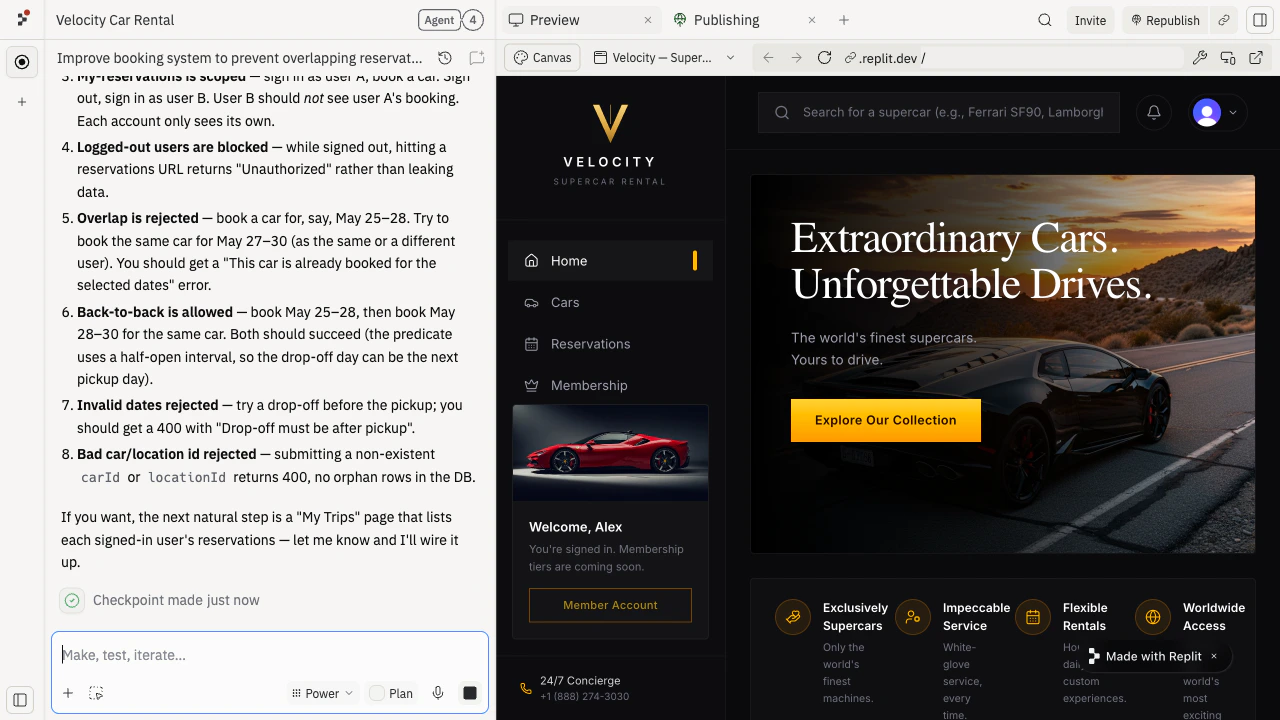
Agent は Neon データベースをプロビジョニングし、フリートと予約をインメモリデータからデータベースへ移行し、同じランボルギーニが二重予約されないよう重複チェックを追加します。
 ## すべてが保持されることをテストする
1. Preview で Velocity にサインインし、来週の土曜日に車を予約します。
2. ページをリフレッシュします。「マイ予約」に予約が残っていることを確認します。
3. Agent チャットからアプリを再起動します。フリートと予約の両方が残っていることを確認します。
4. 別のアカウントで同じ土曜日に同じ車を予約しようとします。Velocity はその車が利用不可と表示し、別の日程または車を提示するはずです。
5. サインアウトして再度サインインします。予約が残っていることを確認します。
いずれかのステップで予約が消えた場合は、正確な症状を Agent に貼り付けてください:
I reserved a car in Velocity, but the reservation disappears after refresh.
## すべてが保持されることをテストする
1. Preview で Velocity にサインインし、来週の土曜日に車を予約します。
2. ページをリフレッシュします。「マイ予約」に予約が残っていることを確認します。
3. Agent チャットからアプリを再起動します。フリートと予約の両方が残っていることを確認します。
4. 別のアカウントで同じ土曜日に同じ車を予約しようとします。Velocity はその車が利用不可と表示し、別の日程または車を提示するはずです。
5. サインアウトして再度サインインします。予約が残っていることを確認します。
いずれかのステップで予約が消えた場合は、正確な症状を Agent に貼り付けてください:
I reserved a car in Velocity, but the reservation disappears after refresh.
Check whether the reservation is being saved to the database or only stored in the page.
Fix the smallest issue and tell me how to verify it.
データベースの内容を確認するためのシンプルな管理ビューを Agent に依頼することもできます:
Show me a simple admin page in Velocity that lists every car and every reservation in the database, grouped by car.
Only show it to me as the project owner.
## 公開 URL で確認する
Agent の Neon セットアップにより、Velocity には最初から開発環境と本番環境が分けて用意されます。Agent チャットまたは Publishing タイルから Velocity を再度公開し、新しいタブで公開 URL を開いてください。Replit は本番用の Neon 認証情報を公開済みデプロイメントに自動的に適用します — 公開 URL で予約を行い、リフレッシュして予約が残っていることを確認しましょう。
これで Velocity はすべての車、すべての空き日程、すべての予約を記憶します。次回のリフレッシュで予約が失われることはありません。
## 次のステップ
顧客が車を予約する際に返金可能なデポジットを受け取りましょう。
各予約を顧客のカレンダーに送信しましょう。
保存された予約を稼働率チャートに変換しましょう。
## さらに助けが必要ですか?
* **Preview では予約が保存されるが公開 URL では保存されない:** 本番用 Neon 認証情報が公開済みデプロイメントに適用されているか Agent に確認するよう依頼してください。
* **データの確認が難しい:** Agent にデータベースのすべての内容を一覧表示するシンプルな管理ビューを追加するよう依頼してください。
* **フリートにデータを投入したい:** Agent に実際の車をデータベースに読み込む一回限りのスクリプトを追加するよう依頼してください。
* **クイックプロトタイプ用にセットアップ不要のデータベースが必要な場合:** 代わりに [Replit Database](/references/data-and-storage/sql-database) を使ってください — すべての Repl に組み込まれており、別途プロビジョニングは不要です。
## 関連
* [本番データベース](/references/data-and-storage/production-databases)
* [Replit Database](/references/data-and-storage/sql-database)