> ## Documentation Index
> Fetch the complete documentation index at: https://docs.replit.com/llms.txt
> Use this file to discover all available pages before exploring further.
# Explore
> Go wide before you commit: follow suggestions, pull in templates and inspiration, and switch models, all landing as new frames.
Exploring in Replit Design means going wide before you commit. Every result lands as a new frame on the canvas, so you never lose a direction:
* Let suggestions propose what to design next, one click each
* Pull in starter templates and real-product inspiration without leaving the board
* Switch the model behind Design for a genuinely different direction
## Follow suggestions
Select a design frame and Replit Design proposes what to try next, grounded in what you're looking at. Click a suggestion and Agent builds it as a new frame next to the original; no prompt writing needed.
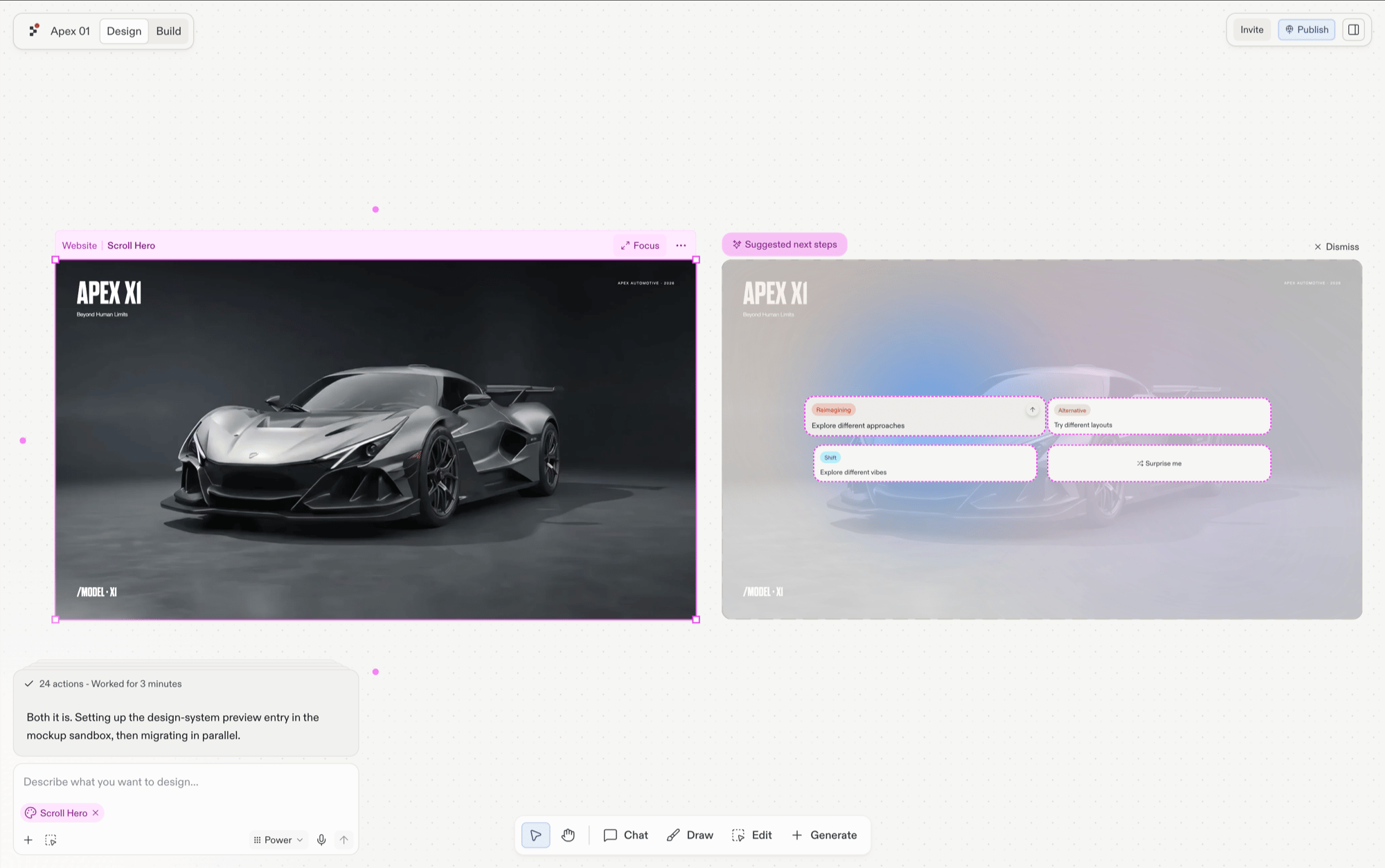 Suggestions are the fastest way to explore when you don't yet know what to ask for. See [Explore suggestions](/design/explore-suggestions) for the full loop, including applying the winning frame to your app.
## Pull in templates and inspiration
Mid-exploration, the library panel keeps you moving without a blank canvas. Templates land as live, editable frames to build on; Mobbin-curated inspiration lands as a static reference image to steer your next generation (*"a hero like this, but for a bakery"*).
Suggestions are the fastest way to explore when you don't yet know what to ask for. See [Explore suggestions](/design/explore-suggestions) for the full loop, including applying the winning frame to your app.
## Pull in templates and inspiration
Mid-exploration, the library panel keeps you moving without a blank canvas. Templates land as live, editable frames to build on; Mobbin-curated inspiration lands as a static reference image to steer your next generation (*"a hero like this, but for a bakery"*).
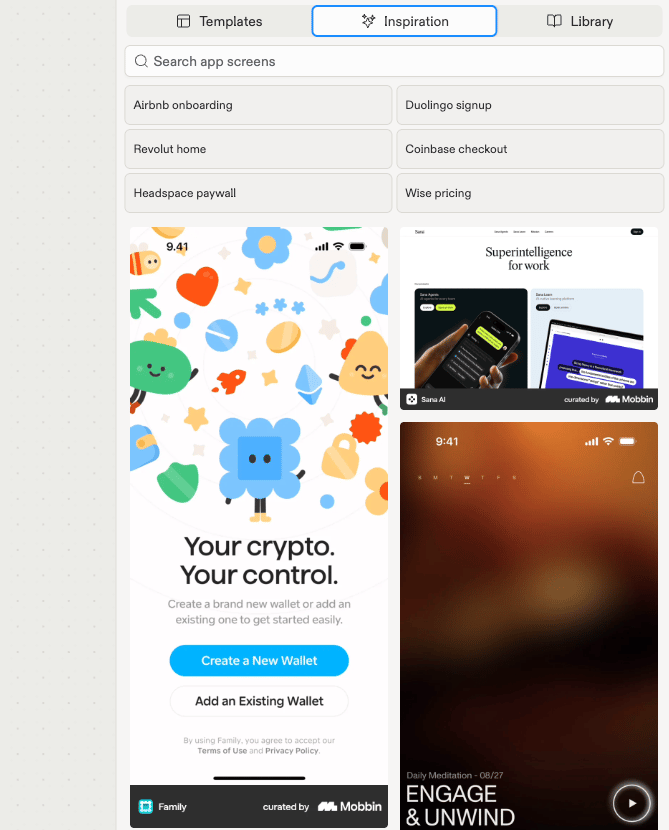 See [Add templates and inspiration](/design/add-templates-and-inspiration) for the guided flow.
## Explore with a different model
Each model behind Replit Design has its own design sensibility and frontend strengths. Switch the primary model from the chat composer's mode selector and send the same brief again to land a genuinely different direction.
See [Explore with different models](/design/explore-with-different-models) for the model lineup and how to switch.
## Explore each path
Select a frame and build a suggestion with one click.
Start from a template or steer by real app screens.
Switch the model behind Design for a different sensibility.
## Next steps
When a direction feels right, stop going wide and start going deep:
* [Chat about your design](/design/chat-about-your-design): steer the winning frame precisely, in your own words.
* [Build your design](/design/build-your-design): turn the frame into a working app.
See [Add templates and inspiration](/design/add-templates-and-inspiration) for the guided flow.
## Explore with a different model
Each model behind Replit Design has its own design sensibility and frontend strengths. Switch the primary model from the chat composer's mode selector and send the same brief again to land a genuinely different direction.
See [Explore with different models](/design/explore-with-different-models) for the model lineup and how to switch.
## Explore each path
Select a frame and build a suggestion with one click.
Start from a template or steer by real app screens.
Switch the model behind Design for a different sensibility.
## Next steps
When a direction feels right, stop going wide and start going deep:
* [Chat about your design](/design/chat-about-your-design): steer the winning frame precisely, in your own words.
* [Build your design](/design/build-your-design): turn the frame into a working app.