> ## Documentation Index
> Fetch the complete documentation index at: https://docs.replit.com/llms.txt
> Use this file to discover all available pages before exploring further.
# Design system contents and DESIGN.md
> What a generated design system contains — tokens, colors, typography, components — and how DESIGN.md represents it in your project.
## Contents of a design system
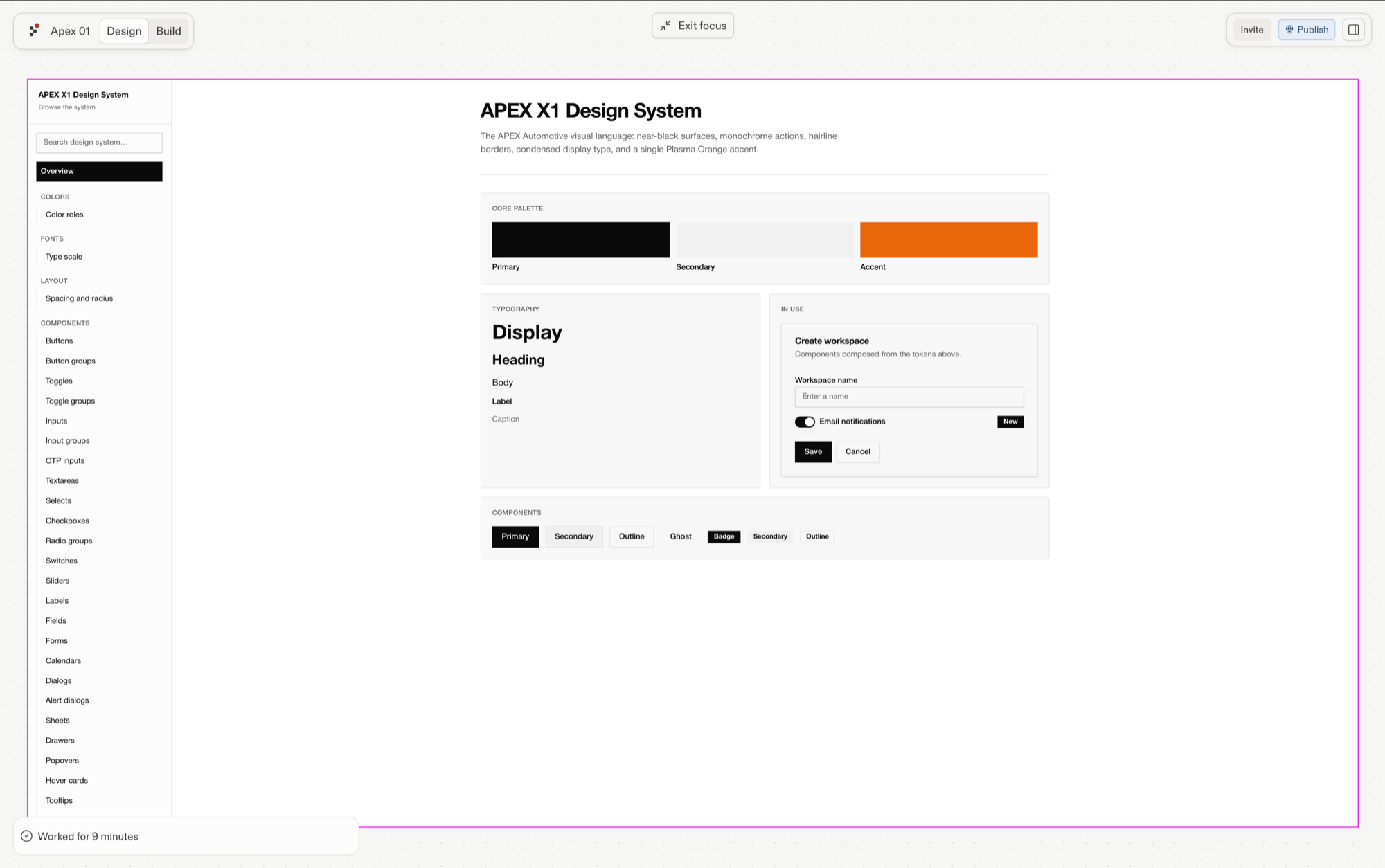
A generated design system includes:
* **Tokens** — named values (colors, spacing, radii) the rest of the system references
* **Colors** — the palette with roles (primary, surface, accent…)
* **Typography** — families, sizes, weights
* **Example components** — 2–3 built components showing the system in use
* **Logos and brand assets** — included when you provide them clearly
 ## How it's stored
A generated system lives in your project as a **living style guide**: tokens in `tokens.json` feed the CSS variables (e.g. `src/index.css`) that your components consume. `DESIGN.md` is the document representation — readable by you, usable by Agent.
## Using DESIGN.md as a source
An existing `DESIGN.md` can seed a new design system: point at it when [creating one](/design/create-a-design-system), alongside other sources like a Figma URL, a website, code, or reference images.
## How it's stored
A generated system lives in your project as a **living style guide**: tokens in `tokens.json` feed the CSS variables (e.g. `src/index.css`) that your components consume. `DESIGN.md` is the document representation — readable by you, usable by Agent.
## Using DESIGN.md as a source
An existing `DESIGN.md` can seed a new design system: point at it when [creating one](/design/create-a-design-system), alongside other sources like a Figma URL, a website, code, or reference images.