> ## Documentation Index
> Fetch the complete documentation index at: https://docs.replit.com/llms.txt
> Use this file to discover all available pages before exploring further.

# Send push notifications

> Notify players about new games and friend activity in PixelGames.

export const PromptActions = ({prompt = "", campaign = "docs-prompt-actions"}) => {
  const LZ_SRC = "https://cdnjs.cloudflare.com/ajax/libs/lz-string/1.5.0/lz-string.min.js";
  const ensureLZString = () => {
    if (typeof document === "undefined") return;
    if (window.LZString) return;
    if (document.querySelector(`script[src="${LZ_SRC}"]`)) return;
    const s = document.createElement("script");
    s.src = LZ_SRC;
    s.async = true;
    document.head.appendChild(s);
  };
  const handleCopy = async e => {
    const btn = e.currentTarget;
    if (!prompt) return;
    try {
      await navigator.clipboard.writeText(prompt);
    } catch {
      const ta = document.createElement("textarea");
      ta.value = prompt;
      document.body.appendChild(ta);
      ta.select();
      try {
        document.execCommand("copy");
      } catch {}
      document.body.removeChild(ta);
    }
    const original = btn.dataset.label || btn.innerText;
    btn.dataset.label = original;
    btn.innerText = "Copied!";
    setTimeout(() => {
      if (btn.isConnected) btn.innerText = original;
    }, 1500);
  };
  const handleBuild = () => {
    if (!prompt || typeof window === "undefined") return;
    const utm = `utm_source=replit-docs&utm_medium=docs&utm_campaign=${encodeURIComponent(campaign)}&utm_content=prompt-actions`;
    let url;
    if (window.LZString) {
      const encoded = window.LZString.compressToEncodedURIComponent(prompt);
      url = `https://replit.com/?prompt=${encoded}&referrer=replit-docs&${utm}`;
    } else {
      url = `https://replit.com/?prompt=${encodeURIComponent(prompt)}&referrer=replit-docs&${utm}`;
    }
    window.open(url, "_blank", "noopener,noreferrer");
  };
  ensureLZString();
  const baseButtonStyle = {
    display: "inline-flex",
    alignItems: "center",
    gap: "6px",
    padding: "8px 16px",
    borderRadius: "8px",
    fontSize: "14px",
    fontWeight: 500,
    cursor: "pointer",
    lineHeight: 1.2,
    fontFamily: "inherit",
    textDecoration: "none"
  };
  return <div style={{
    display: "flex",
    gap: "12px",
    margin: "16px 0",
    flexWrap: "wrap",
    alignItems: "center"
  }}>
      <button type="button" onClick={handleCopy} style={{
    ...baseButtonStyle,
    background: "transparent",
    color: "inherit",
    border: "1px solid rgba(127,127,127,0.4)"
  }}>
        Copy the prompt
      </button>
      <button type="button" onClick={handleBuild} style={{
    ...baseButtonStyle,
    background: "#F26207",
    color: "#FFFFFF",
    border: "1px solid #F26207"
  }}>
        Build on Replit ↗
      </button>
    </div>;
};

export const AiPrompt = ({children}) => {
  return <CodeBlock className="relative block font-sans whitespace-pre-wrap break-words">
      <div className="pr-7">
        {children}
      </div>
    </CodeBlock>;
};

export const pushNotificationPrompt = "Notify a player when a friend beats their high score in PixelGames.";

<AiPrompt>
  {pushNotificationPrompt}
</AiPrompt>

<PromptActions prompt={pushNotificationPrompt} campaign="docs-mobile-push-notifications" />

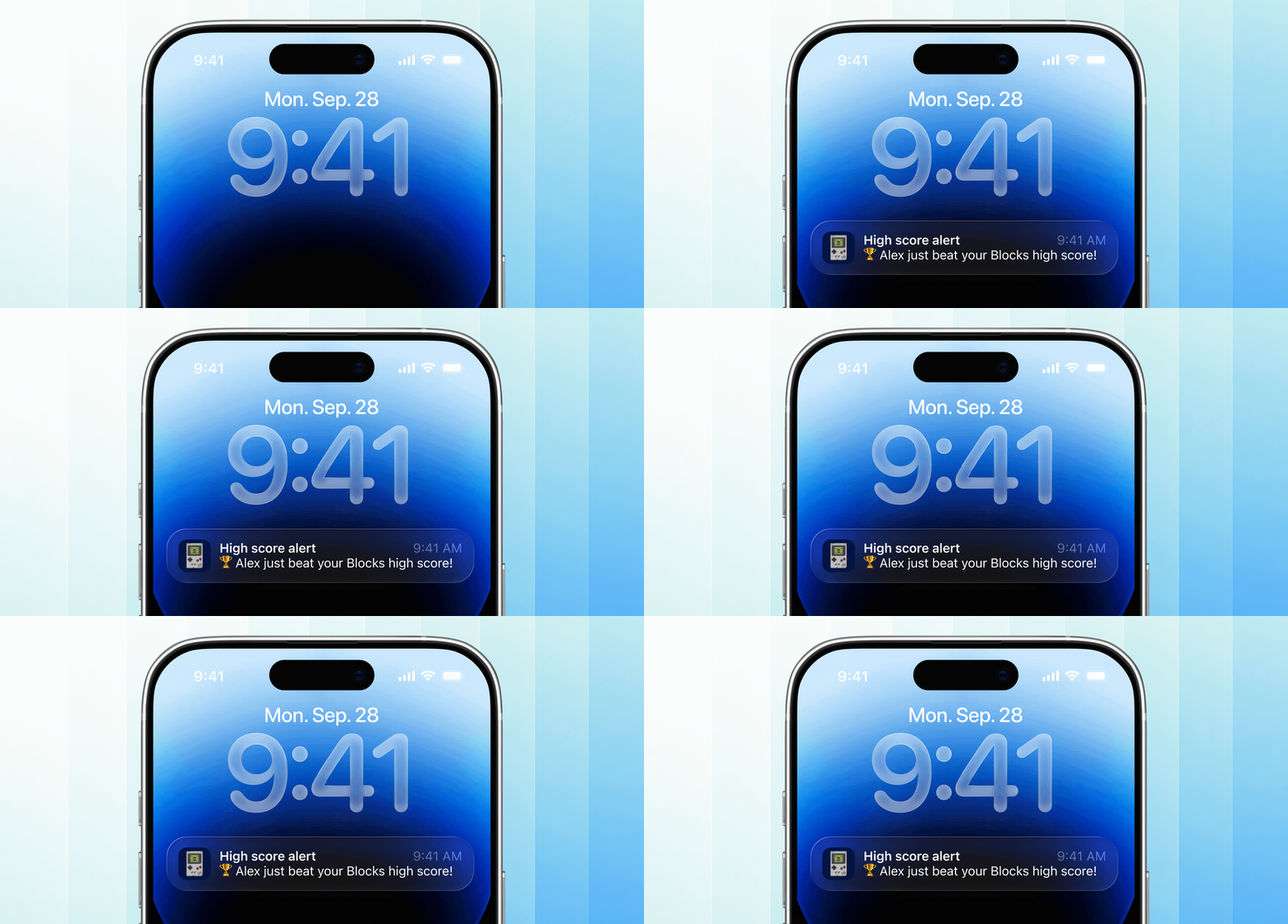
<Frame caption="A PixelGames notification arriving on the lock screen.">
  <img src="https://mintcdn.com/replit/WuaQIOfW5oxRlxex/images/pixelgames/mobile/notification.gif?s=1335ca08e398f2ae9a8b31e1a0c3d085" alt="A PixelGames push notification appearing on the phone's lock screen" data-path="images/pixelgames/mobile/notification.gif" width="1516" height="726" data-path="images/pixelgames/mobile/notification.gif" />
</Frame>

Android can test this right away in Expo Go. iOS needs the app
[uploaded and installed from TestFlight](/build/mobile-testflight)
first, Apple requires the app to be registered with them before it can receive any
notification, even for testing.

<Steps>
  <Step title="Ask permission">
    iOS and Android both prompt once before the first notification. Decline means silence
    until the player re-enables it from Settings.
  </Step>

  <Step title="Register the device">
    Agent registers a push token for the signed-in player, so PixelGames knows which device to
    notify.
  </Step>

  <Step title="Send it">
    A notification fires when a friend beats that player's high score.
  </Step>
</Steps>

## Test it

1. Grant notification permission when prompted, PixelGames can't send anything until this is
   accepted, and the prompt only appears once.
2. Trigger the real condition, like beating a friend's high score from a second account,
   rather than only asking Agent for a one-off test notification. This confirms the whole
   path works: the score save, the check for who to notify, and the send, not just that
   permission was granted.
3. Confirm it arrives on the lock screen, then tap it and confirm it opens PixelGames. Tapping
   checks that the notification actually routes back into the app, not just that it displays.

Do this on a real phone, notifications never reach a simulator. See
[test with Expo Go](/build/mobile-preview-testing) for setup.

## Troubleshooting

* **Notification never arrives on iOS:** confirm you're testing from
  [TestFlight](/build/mobile-testflight), Expo Go can't receive pushes on iOS.
* **Player granted permission but gets nothing:** check the token was actually saved against
  their account, a common gap when sign-in and notification setup happen separately.

## What's next

<CardGroup cols={2}>
  <Card title="Add haptics" icon="wave-square" href="/build/mobile-haptics">
    Pair a notification with a haptic tap.
  </Card>

  <Card title="Store images in your mobile app" icon="image" href="/build/mobile-store-images">
    Save profile photos to App Storage.
  </Card>
</CardGroup>

## Related

* [Submit to the App Store](/build/mobile-publish-ios)