> ## Documentation Index
> Fetch the complete documentation index at: https://docs.replit.com/llms.txt
> Use this file to discover all available pages before exploring further.
# Build PixelGames with a team
> Invite teammates to build PixelGames in parallel, each with their own Agent task.
PixelGames doesn't have to be a solo project. Invite teammates and each one can run their own
Agent task at the same time, all tracked on a shared board so nobody duplicates work.
## Invite a teammate
From the PixelGames app, open **Invite** and share the link, or add someone by email.
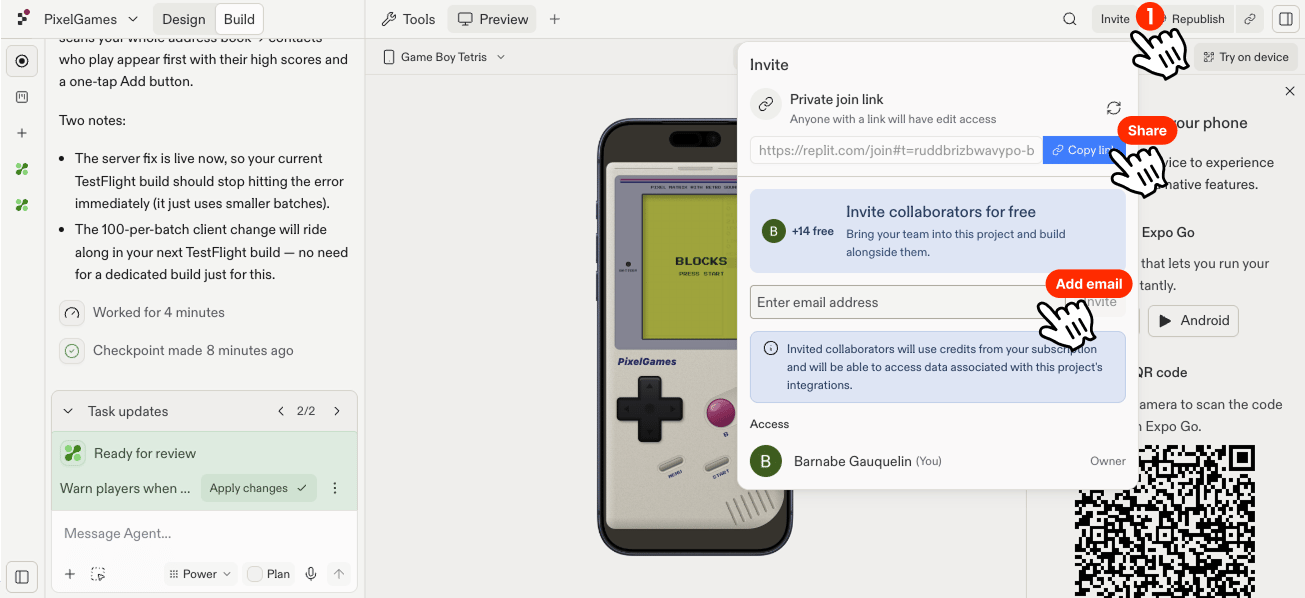 Once they're in, they can open their own Agent conversation right away, no need to wait
for anyone else to finish first.
## Track work on the board
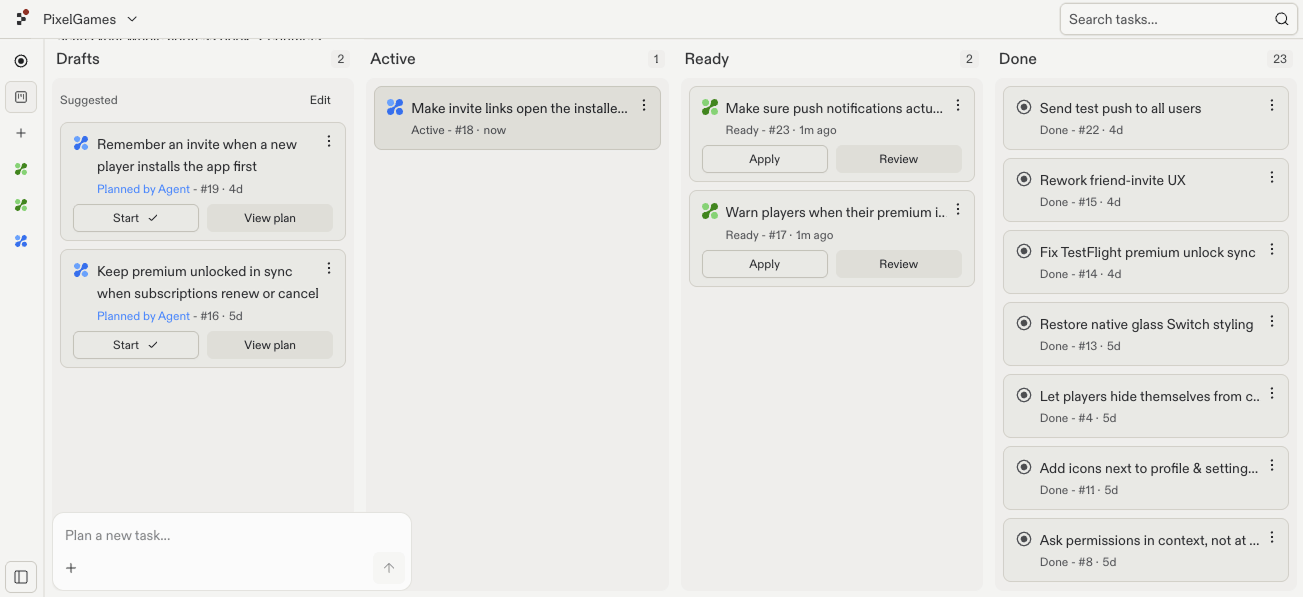
Each Agent task moves through four stages: **Draft** (a plan is ready for review), **Active**
(Agent is building it), **Ready** (finished, waiting to be applied), and **Done** (merged into
PixelGames).
For example, one teammate could build Snake while another adds payments, both tasks move
across the board independently, so it's clear who's working on what.
Once they're in, they can open their own Agent conversation right away, no need to wait
for anyone else to finish first.
## Track work on the board
Each Agent task moves through four stages: **Draft** (a plan is ready for review), **Active**
(Agent is building it), **Ready** (finished, waiting to be applied), and **Done** (merged into
PixelGames).
For example, one teammate could build Snake while another adds payments, both tasks move
across the board independently, so it's clear who's working on what.
 Agent builds each task in its own isolated copy of PixelGames, so two people working at once
don't step on each other's changes. Conflicts only come up once a task is actually applied
back, and only if it touches the same code as another applied task.
## What's next
Shape how PixelGames looks, screen by screen.
Try the team's build on a real device.
## Related
* [Start your first mobile app](/build/mobile-first-app)
Agent builds each task in its own isolated copy of PixelGames, so two people working at once
don't step on each other's changes. Conflicts only come up once a task is actually applied
back, and only if it touches the same code as another applied task.
## What's next
Shape how PixelGames looks, screen by screen.
Try the team's build on a real device.
## Related
* [Start your first mobile app](/build/mobile-first-app)