> ## Documentation Index
> Fetch the complete documentation index at: https://docs.replit.com/llms.txt
> Use this file to discover all available pages before exploring further.
# Build with Free Mode
> Use your included Free Mode allowance to turn an idea into a working app, one focused step at a time.
## Build your first version with Free Mode
Free Mode is included with Core and Pro plans. It gives you a Free Mode allowance that refreshes every five hours, so you can move an idea into a working first version as part of your subscription.
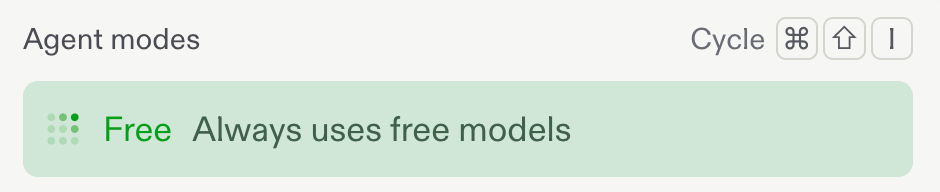
Choose **Free** from the mode selector below the prompt box before you start building.
 ## Build in focused steps
Free Mode works best when you give Replit one clear next step at a time. Start with the version of your app that proves the idea, then build on it.
1. **Describe what you want to build.** Start with the outcome, the people it is for, and the first thing it needs to do.
2. **Build the essential flow.** Ask for one screen, feature, or interaction at a time instead of every possible feature at once.
3. **Preview and refine.** Test what Replit creates, then ask for the next improvement with the result in front of you.
4. **Keep the context.** Continue in the same conversation so Replit can build on your decisions and the app you already have.
For example, you might begin with: “Build a simple running tracker where I can log a run, see my weekly total, and add a goal.” Then refine the interface, add data, and test each step as you go.
## Make the allowance go further
* Break a larger feature into small, testable requests.
* Tell Replit what to change and what to keep, especially when refining an existing screen.
* Use follow-up questions to clarify the plan before building a more involved feature.
* Return to a project with a concrete next step, such as adding validation, improving a mobile layout, or connecting a form.
## Check your allowance
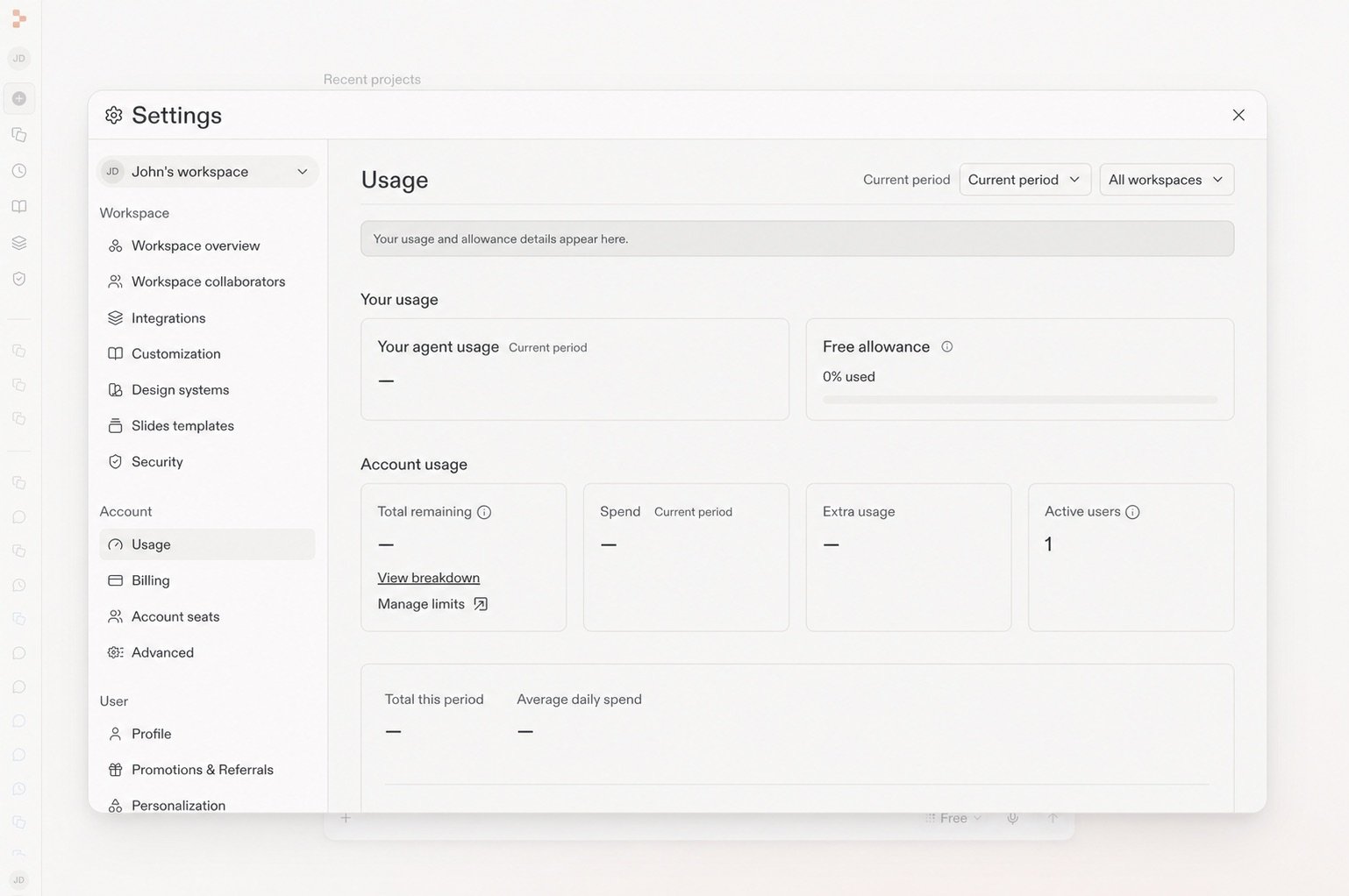
Open **Settings** → **Usage** to see how much of your Free Mode allowance remains and when it will refresh.
## Build in focused steps
Free Mode works best when you give Replit one clear next step at a time. Start with the version of your app that proves the idea, then build on it.
1. **Describe what you want to build.** Start with the outcome, the people it is for, and the first thing it needs to do.
2. **Build the essential flow.** Ask for one screen, feature, or interaction at a time instead of every possible feature at once.
3. **Preview and refine.** Test what Replit creates, then ask for the next improvement with the result in front of you.
4. **Keep the context.** Continue in the same conversation so Replit can build on your decisions and the app you already have.
For example, you might begin with: “Build a simple running tracker where I can log a run, see my weekly total, and add a goal.” Then refine the interface, add data, and test each step as you go.
## Make the allowance go further
* Break a larger feature into small, testable requests.
* Tell Replit what to change and what to keep, especially when refining an existing screen.
* Use follow-up questions to clarify the plan before building a more involved feature.
* Return to a project with a concrete next step, such as adding validation, improving a mobile layout, or connecting a form.
## Check your allowance
Open **Settings** → **Usage** to see how much of your Free Mode allowance remains and when it will refresh.
 When you need more capability, want to select a specific model, or have reached your Free Mode allowance, switch to **Power Mode** or **Max Mode**. Those modes use monthly credits.
## Keep going
* [Get the most out of Free Mode](/chat/free-mode): Learn how Free Mode fits everyday chat, creation, and building.
* [Build and publish your first app](/build/your-first-app): Turn your first version into an app you can share.
* [Select the right Agent Mode](/chat/agent-modes): Choose between Free Mode, Power Mode, and Max Mode.
When you need more capability, want to select a specific model, or have reached your Free Mode allowance, switch to **Power Mode** or **Max Mode**. Those modes use monthly credits.
## Keep going
* [Get the most out of Free Mode](/chat/free-mode): Learn how Free Mode fits everyday chat, creation, and building.
* [Build and publish your first app](/build/your-first-app): Turn your first version into an app you can share.
* [Select the right Agent Mode](/chat/agent-modes): Choose between Free Mode, Power Mode, and Max Mode.