> ## Documentation Index
> Fetch the complete documentation index at: https://docs.replit.com/llms.txt
> Use this file to discover all available pages before exploring further.
# Add login
> Let each Velocity customer sign in to see their own bookings and saved cars.
export const AiPrompt = ({children}) => {
return
{children}
;
};
By the end, each Velocity customer will sign in and see only their own bookings and saved cars.
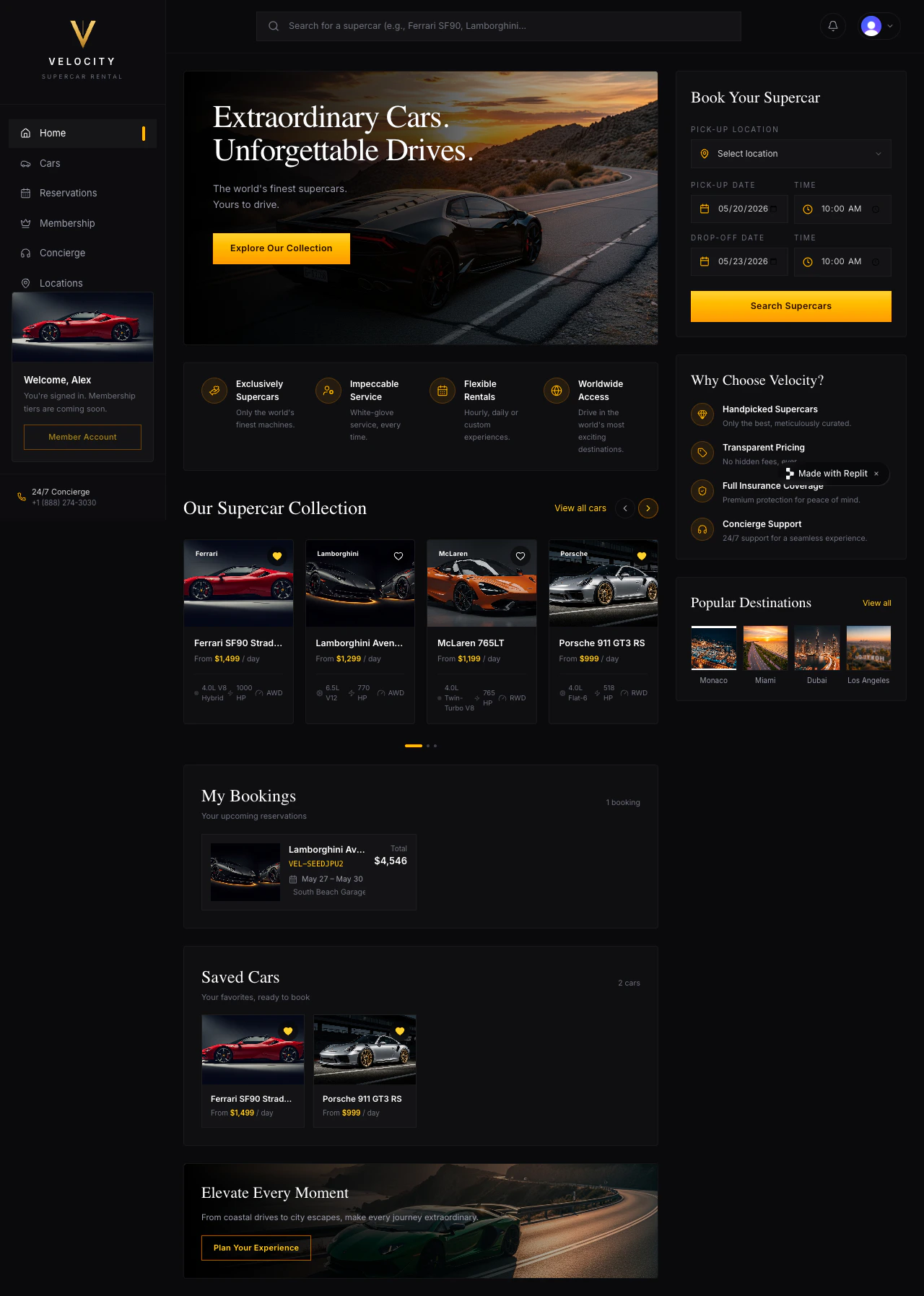 You saw Velocity on [Welcome to Replit](/build/welcome) — a premium supercar rental app. Right now anyone visiting the public URL can see every reservation. No one books a Lamborghini anonymously. Add sign-in and each customer gets their own bookings and saved cars.
## Tell Agent to add sign-in
For Velocity, use Clerk. Replit's Clerk integration gives your app its own branded sign-in screen, customer accounts that exist inside Velocity (not Replit accounts), and full control over the look and feel — fitting for a premium rental brand. Agent provisions everything automatically, so there is no Clerk dashboard signup and no keys to paste.
Add sign-in to Velocity so each customer has their own bookings and saved cars.
You saw Velocity on [Welcome to Replit](/build/welcome) — a premium supercar rental app. Right now anyone visiting the public URL can see every reservation. No one books a Lamborghini anonymously. Add sign-in and each customer gets their own bookings and saved cars.
## Tell Agent to add sign-in
For Velocity, use Clerk. Replit's Clerk integration gives your app its own branded sign-in screen, customer accounts that exist inside Velocity (not Replit accounts), and full control over the look and feel — fitting for a premium rental brand. Agent provisions everything automatically, so there is no Clerk dashboard signup and no keys to paste.
Add sign-in to Velocity so each customer has their own bookings and saved cars.
Use Clerk Auth.
Keep the car-browsing pages public so visitors can still explore the fleet without an account.
Require sign-in before someone can reserve a car or save one to their favorites.
After sign-in, show the customer's name in the header and a "My bookings" section with only their reservations.
Add a sign-out button.
Give me a test checklist using two different customers.
Agent will provision a Clerk tenant for Velocity, add the sign-in components, gate the booking flow behind it, attach each reservation to the signed-in customer, and add sign-out. Watch the build in the Agent chat.
 ## Test it with two customers
One account isn't enough — you need two so you can prove bookings stay separate.
1. Open Velocity in Preview and browse cars without signing in. The fleet should still be visible.
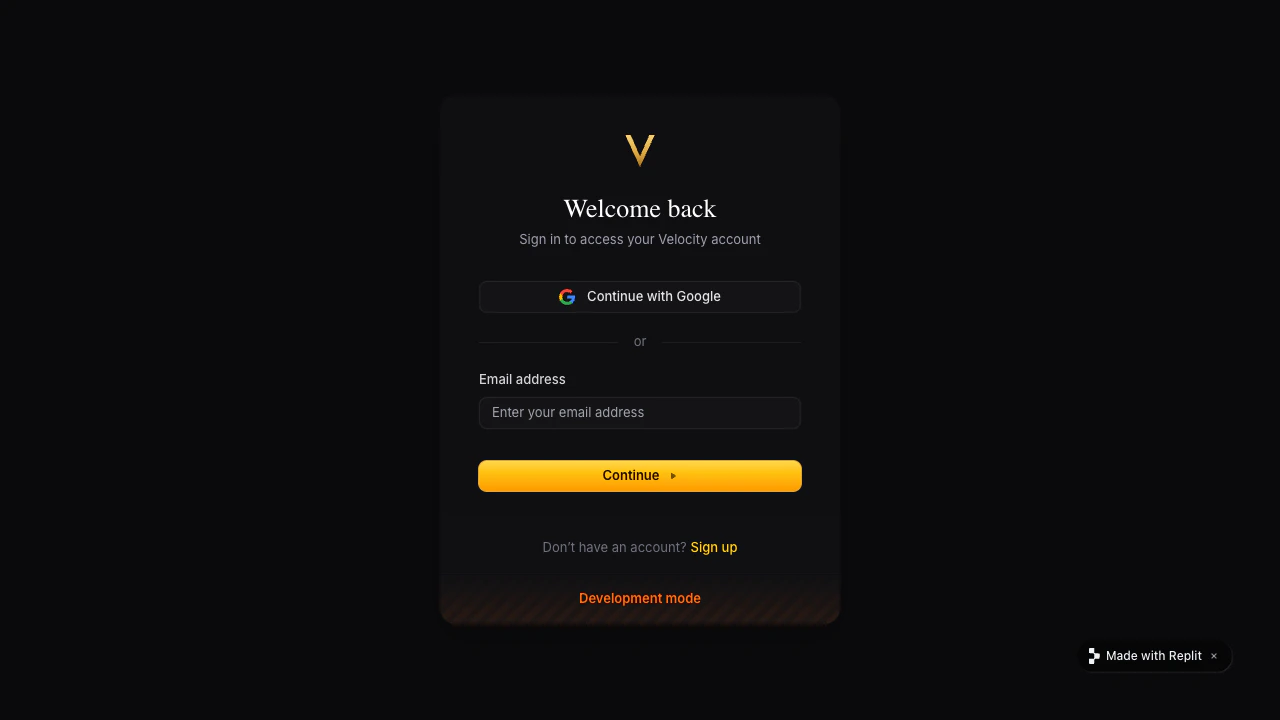
2. Click Reserve on a car. You should land on the Clerk sign-in screen.
3. Sign up with your own email and complete a reservation (e.g. a weekend booking on a 911).
4. Sign out. The "My bookings" section should disappear and the booking flow should ask for sign-in again.
5. Open Preview in an incognito window and sign up with a different email. Reserve a different car.
6. Switch back to your first window, sign in, and confirm you still see your own reservation — not the second customer's.
If both customers see the same reservations, the bookings aren't yet attached to the signed-in person. Tell Agent the exact symptom:
Both customers can see each other's reservations in Velocity.
## Test it with two customers
One account isn't enough — you need two so you can prove bookings stay separate.
1. Open Velocity in Preview and browse cars without signing in. The fleet should still be visible.
2. Click Reserve on a car. You should land on the Clerk sign-in screen.
3. Sign up with your own email and complete a reservation (e.g. a weekend booking on a 911).
4. Sign out. The "My bookings" section should disappear and the booking flow should ask for sign-in again.
5. Open Preview in an incognito window and sign up with a different email. Reserve a different car.
6. Switch back to your first window, sign in, and confirm you still see your own reservation — not the second customer's.
If both customers see the same reservations, the bookings aren't yet attached to the signed-in person. Tell Agent the exact symptom:
Both customers can see each other's reservations in Velocity.
Attach each booking and each saved car to the signed-in customer so each person only sees their own.
Show me how to verify it with two test accounts.
## Publish and sign in on the public URL
Publish Velocity again from the Agent chat or the Publishing tile, then open the public URL in a new tab and sign in. Clerk is provisioned with separate Development and Production environments — Agent wires the Production credentials into the published app automatically, so sign-in works on the public URL out of the box.
Velocity now has real customers. Each one signs in to a personal garage of bookings — nobody else sees them.
## Improve it next
Make cars, availability, and reservations persist between sessions.
Take a refundable deposit when a customer reserves a car.
## Need further help?
* **The whole app is hidden:** ask Agent to keep car browsing public and protect only the booking and account pages.
* **Customers see each other's reservations:** ask Agent to attach each booking and saved car to the signed-in customer.
* **Sign-in works in Preview but not after publishing:** open the public URL in a new tab and tell Agent the exact error you see. Make sure Agent provisioned the Production Clerk environment.
* **You want a faster zero-config sign-in for prototypes:** Replit Auth uses your customers' Replit accounts with no Clerk tenant to manage — see [Replit Auth](/references/auth-and-identity/authentication).
## Related
* [Clerk Auth](/references/auth-and-identity/clerk-auth)
* [Replit Auth](/references/auth-and-identity/authentication)