> ## Documentation Index
> Fetch the complete documentation index at: https://docs.replit.com/llms.txt
> Use this file to discover all available pages before exploring further.
# Replit Enterprise
> Replit Enterprise adds SSO/SCIM, governance, dedicated support, and unlimited seats. Upgrade from any plan without leaving Replit or contacting sales.
[Replit Enterprise](https://replit.com/pricing) gives every team — technical or not — a private, compliant Workspace for building and shipping internal tools, prototypes, dashboards, slide decks, and more. It is backed by enterprise identity, dedicated support, and deep security, governance, and data controls.
You can upgrade to Enterprise directly inside Replit. Builders on any plan — Free, Core, or Pro — can move to Enterprise without leaving the product. If you want a guided walkthrough or a larger custom deal, [talk to sales](https://replit.com/teams#inlineForm) instead.
## Key features
Enterprise includes everything in Pro, plus organization-wide identity, governance, integrations, and a dedicated support team:
* **SSO and SAML with SCIM provisioning**: Secure, automated team access tied to your identity provider. See [SAML SSO](/teams/identity-and-access-management/saml) and [SCIM provisioning](/teams/identity-and-access-management/scim).
* **Dedicated, secure Workspace**: Role-based access control mapped to your identity provider's groups, isolated to your organization. See [Groups and permissions](/teams/identity-and-access-management/groups-and-permissions).
* **Audit logging via SIEM**: Stream a full audit trail to your existing security and monitoring tools. See [Audit logs](/teams/identity-and-access-management/audit-logs).
* **Custom stack and design system**: Standardize on the libraries, languages, components, and patterns your company already uses.
* **Admin governance controls**: Require private deployments, ban public apps, mandate security scans, and pin deployment geographies.
* **Enterprise Security Center**: CVE detection across all dependencies, organized by severity, with affected-app drill-down and SBOM downloads for compliance.
* **Custom-scoped first-party integrations**: Tightly scope what each team and app can connect to inside your stack. Bring your own OAuth app for connectors when you want your own branding. See [Configuring OAuth App with Replit](/references/integrations/overview#configuring-oauth-app-with-replit).
* **Data and warehouse integrations**: First-party access to Databricks, BigQuery, Microsoft Fabric, Hex, and Snowflake. Build analytics dashboards and data visualization tools directly against your warehouse.
* **Dedicated Product Advocate and Field Engineer**: Named Replit partners who help your teams adopt Replit, scale up, and unblock. Hands-on onboarding sessions get every team building productively in their new Workspace.
* **Unlimited seats**: No per-seat costs. Invite the whole company.
See the [pricing page](https://replit.com/pricing) for the full list of Enterprise features, or [talk to sales](https://replit.com/teams#inlineForm) to discuss a custom plan.
## Upgrade to Enterprise
You can upgrade to Enterprise from any plan in a few steps. The upgrade happens entirely inside Replit.
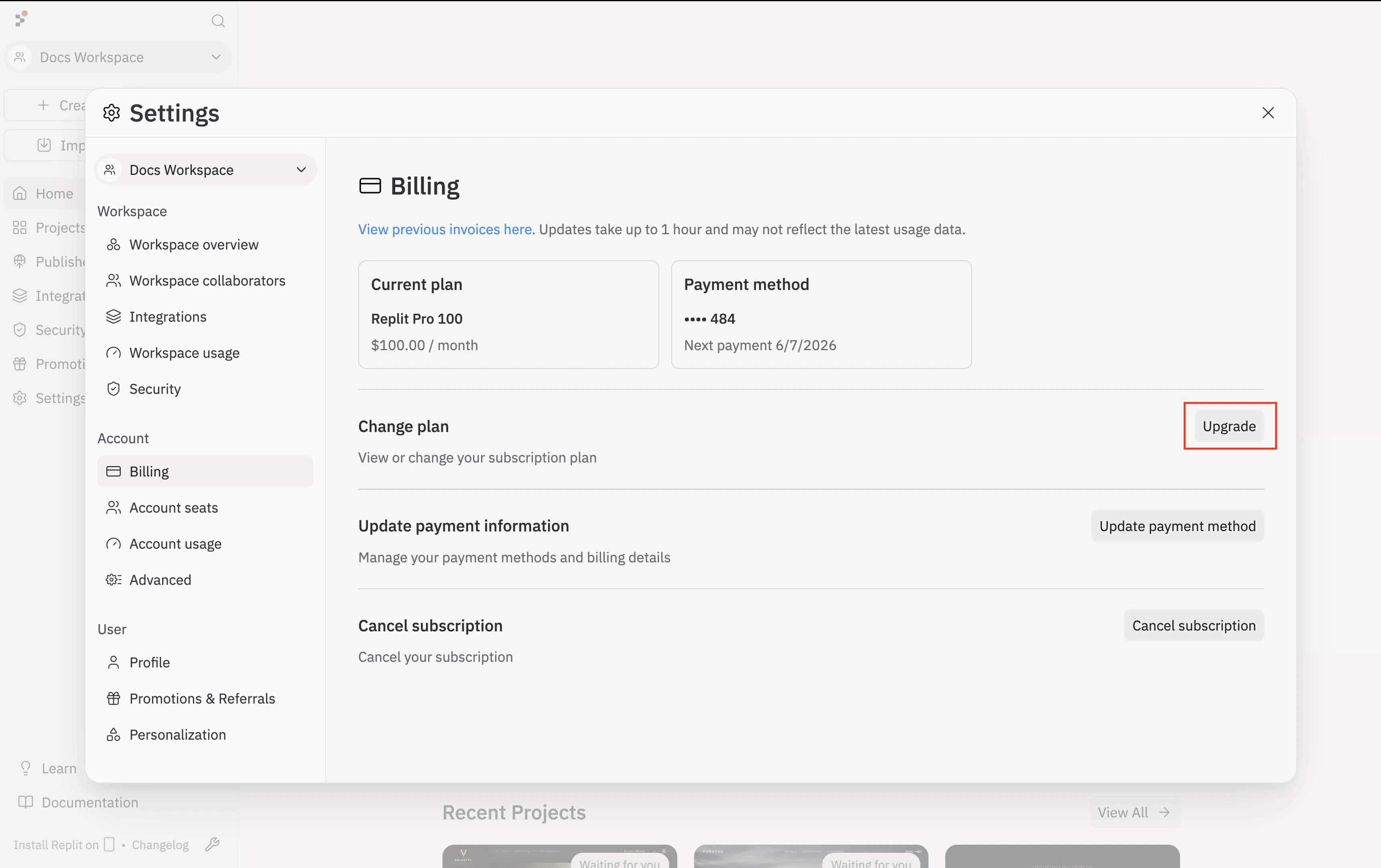
Open **Settings**, then choose **Billing** under Account. Click **Upgrade** next to **Change plan**.
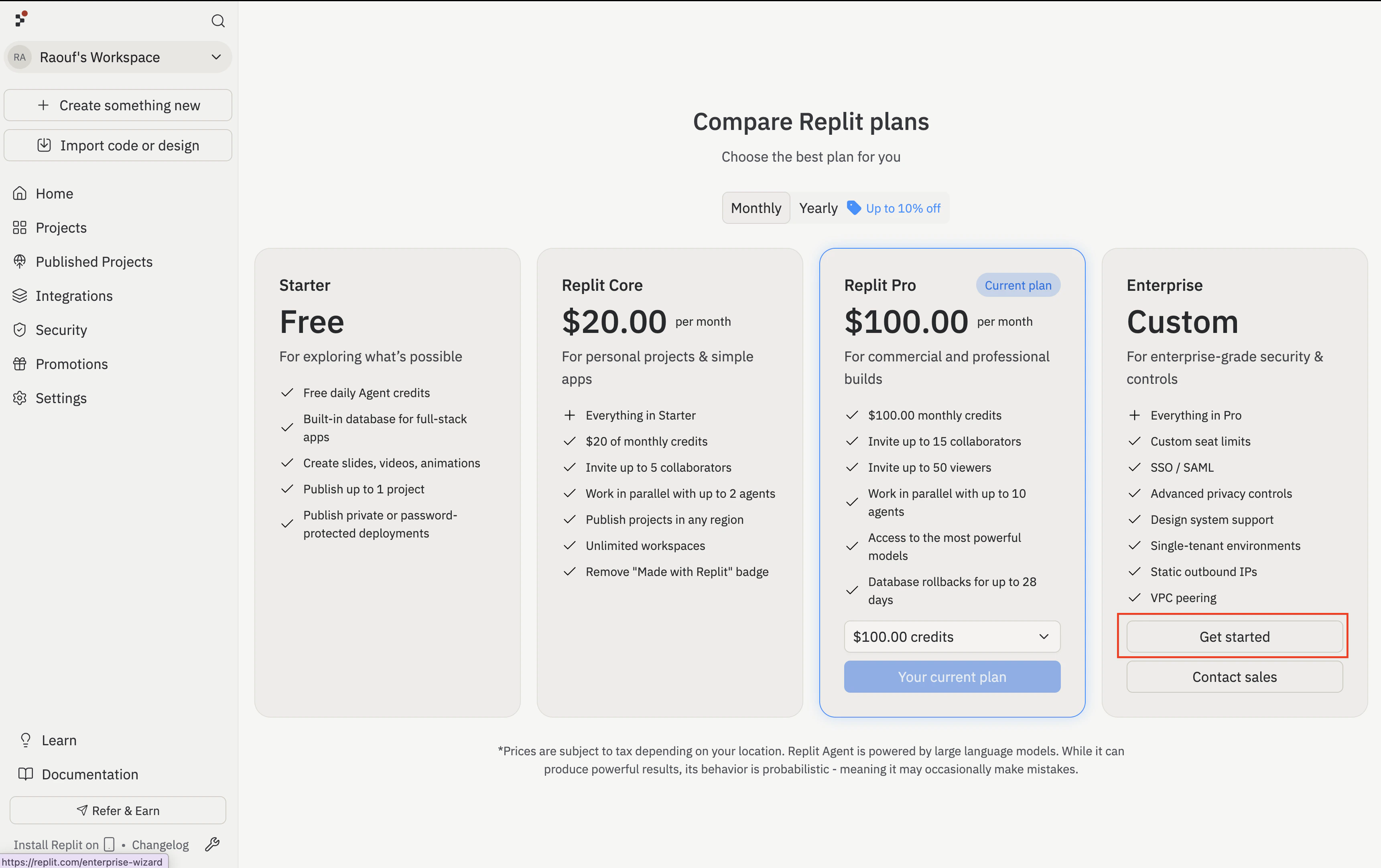
 On the **Compare Replit plans** screen, click **Get started** under the **Enterprise / Custom** column.
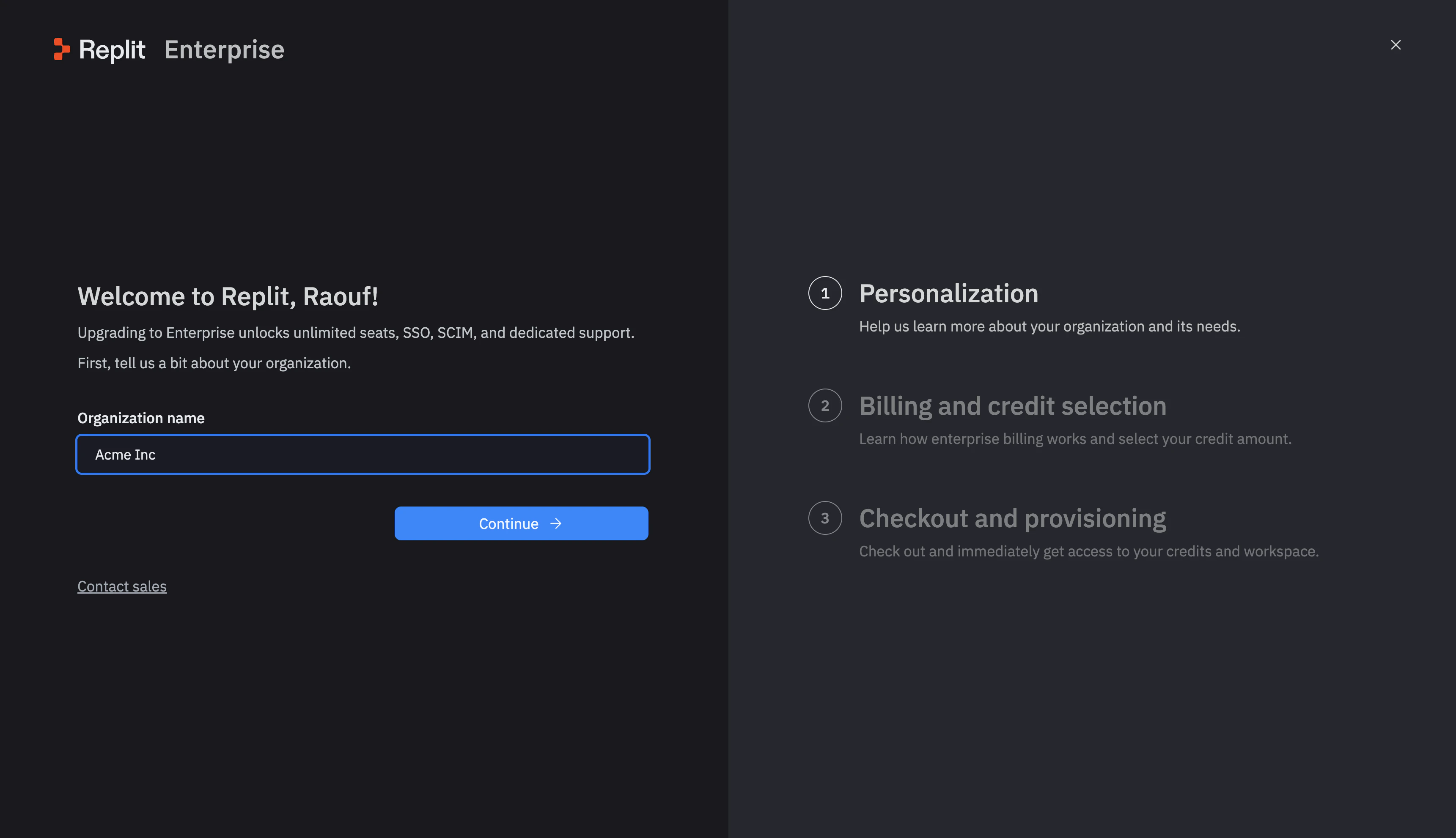
 The wizard opens on the **Personalization** step. Enter your **Organization name** and click **Continue**.
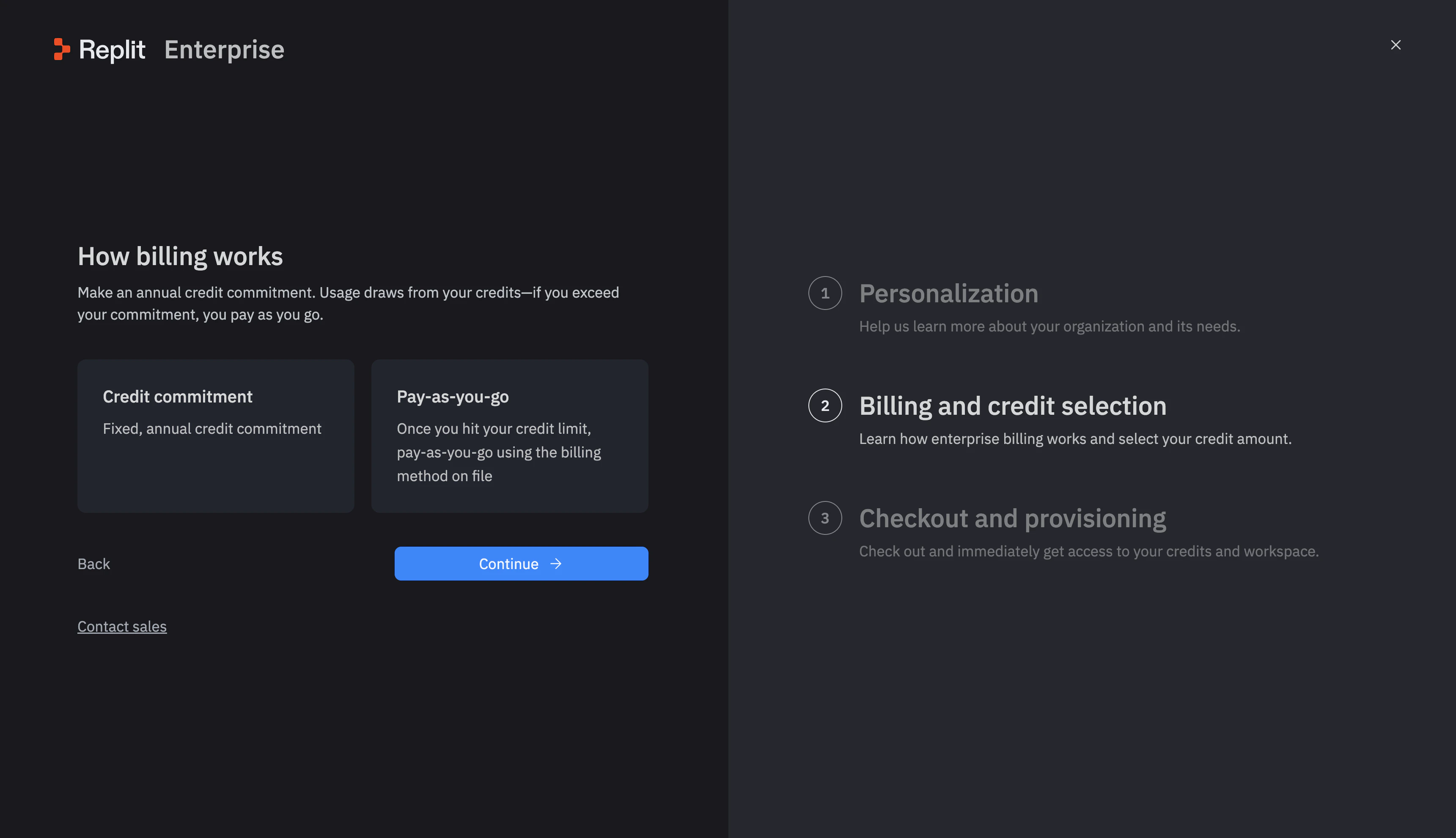
 On the **How billing works** screen (the **Billing and credit selection** step in the right rail), pick a billing model:
* **Credit commitment** — a fixed annual credit purchase.
* **Pay-as-you-go** — charged via the billing method on file once you exceed your credit limit.
Click **Continue**.
On the **How billing works** screen (the **Billing and credit selection** step in the right rail), pick a billing model:
* **Credit commitment** — a fixed annual credit purchase.
* **Pay-as-you-go** — charged via the billing method on file once you exceed your credit limit.
Click **Continue**.
 If you chose credit commitment, drag the slider to your desired annual amount, then click **Confirm commitment**. You can adjust this later with your account manager.
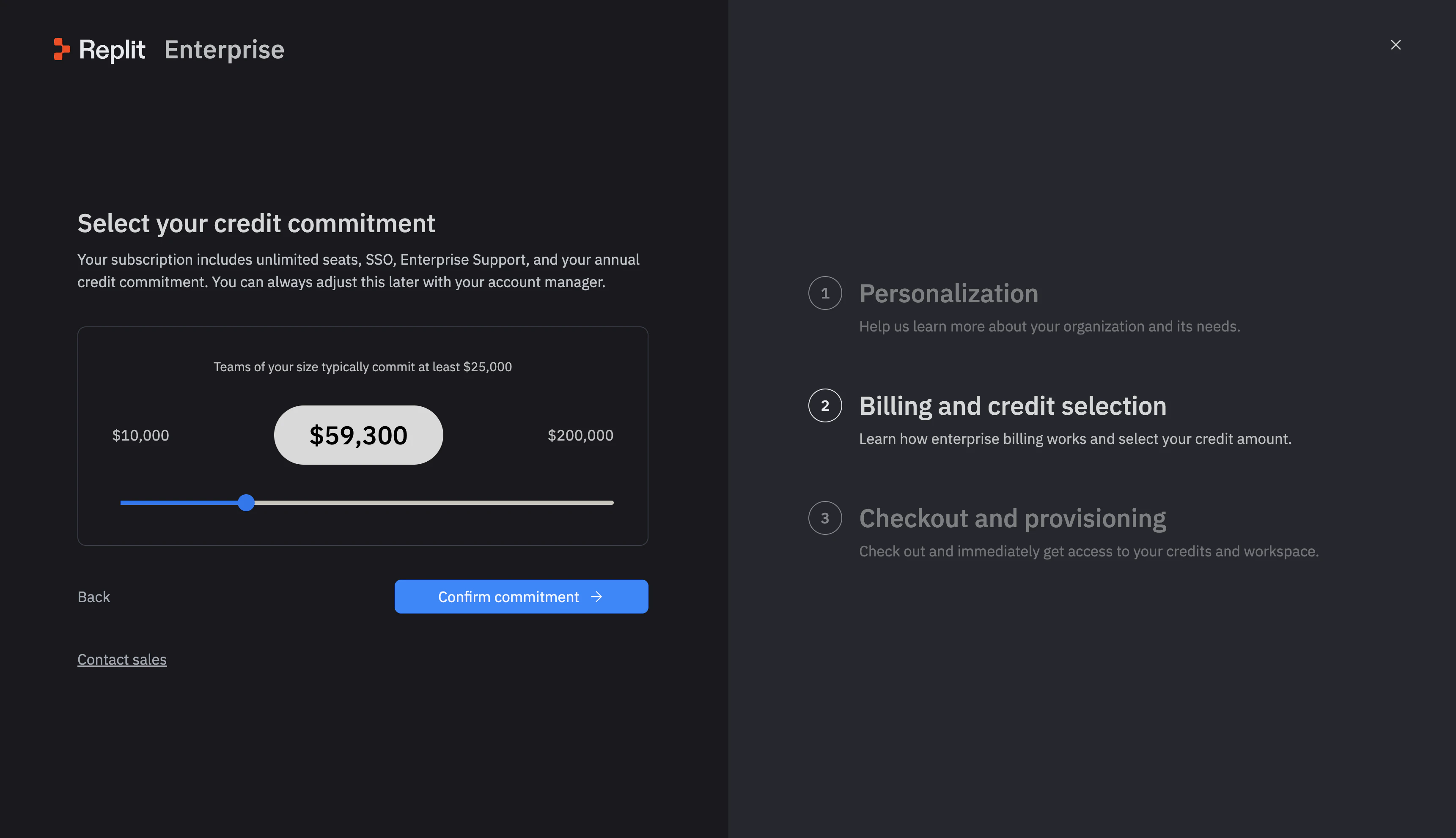 Enter your billing details on the **Checkout and provisioning** screen. Replit creates your Enterprise organization and provisions your credits right away.
### What transfers when you upgrade
If you have collaborative Workspaces, Replit moves them into your new Enterprise organization automatically when you complete checkout. Your published apps stay live during the move, with no downtime and no interruption to your work.
* **Transferred**: Your collaborative team Workspaces and the apps inside them.
* **Not transferred**: Your personal Workspace, which stays on your personal account.
Your published apps keep running throughout the upgrade. You do not need to republish or reconnect anything after the move.
Working with sales on a larger deal? Your collaborative workspaces transfer the same way — you keep the apps and history you have already built.
## Next steps
Compare Pro with Enterprise.
Set up SSO, SCIM, groups, and audit logs for your organization.
Get a guided walkthrough, custom pricing, or a larger deal.
Enter your billing details on the **Checkout and provisioning** screen. Replit creates your Enterprise organization and provisions your credits right away.
### What transfers when you upgrade
If you have collaborative Workspaces, Replit moves them into your new Enterprise organization automatically when you complete checkout. Your published apps stay live during the move, with no downtime and no interruption to your work.
* **Transferred**: Your collaborative team Workspaces and the apps inside them.
* **Not transferred**: Your personal Workspace, which stays on your personal account.
Your published apps keep running throughout the upgrade. You do not need to republish or reconnect anything after the move.
Working with sales on a larger deal? Your collaborative workspaces transfer the same way — you keep the apps and history you have already built.
## Next steps
Compare Pro with Enterprise.
Set up SSO, SCIM, groups, and audit logs for your organization.
Get a guided walkthrough, custom pricing, or a larger deal.