> ## Documentation Index
> Fetch the complete documentation index at: https://docs.replit.com/llms.txt
> Use this file to discover all available pages before exploring further.
# Streaming native graphics using VNC
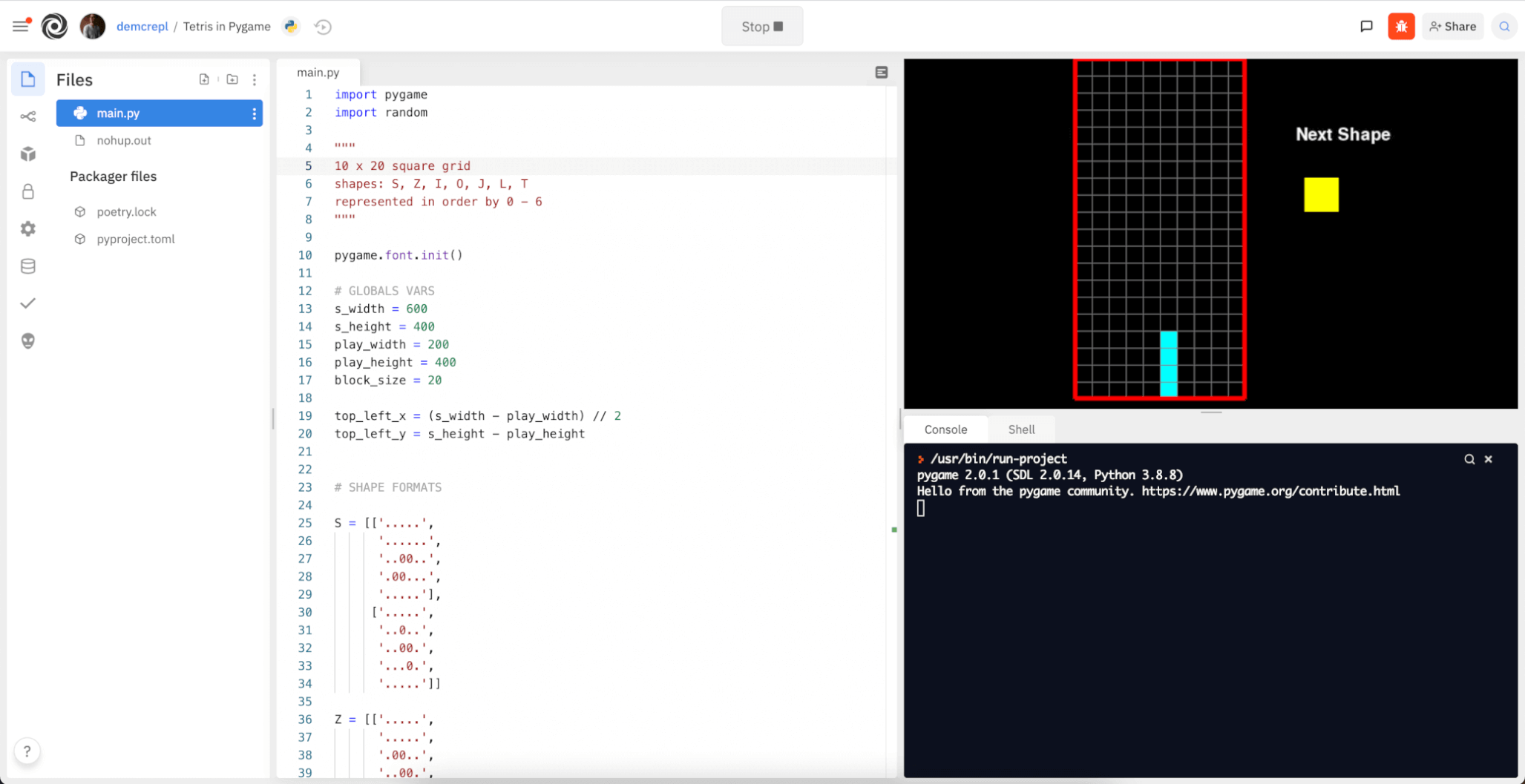
> Replit offers virtual network computing (VNC) functionality. VNC is a mature virtual desktop protocol that allows your Replit App to stream a native desktop to your web browser. This protocol allows native applications (developed in Python, Java, C++, etc.) to open desktop windows as they would on any physical computer.
This streaming technology allows you to work with legacy applications in your browser from any device! For example, you could run a Python-powered game designed for desktop right on your mobile phone or tablet without making any changes to the underlying code.
Tetris (powered by PyGame)
 ## How Can I Use VNC?
Any Replit App – in any language – can use a virtual desktop. No changes are needed to execute native graphics programs on Replit. The VNC pane will appear when any application attempts to open a native desktop window.
## Securing Your Replit App
By default, your VNC connection does not have a password and can only be accessed from [https://replit.com](https://replit.com) since the connection relies on the same authentication used for the WebSocket. If you need to access your Replit App via the external [noVNC](https://novnc.com) client, you can set a VNC password.
Set a password in your Replit App [secrets](/core-concepts/project-editor/app-setup/secrets) configuration. `Secrets` is a secure place to store passwords without the fear of other users accessing your passwords. Setting `VNC_PASSWORD` will add enhanced security when connecting remotely.
## How Can I Use Fullscreen VNC?
You must have secured your Replit App as instructed above to proceed with these steps.
1. Execute the following command in your "Shell" tab:
```sh theme={null}
echo $REPL_ID
```
## How Can I Use VNC?
Any Replit App – in any language – can use a virtual desktop. No changes are needed to execute native graphics programs on Replit. The VNC pane will appear when any application attempts to open a native desktop window.
## Securing Your Replit App
By default, your VNC connection does not have a password and can only be accessed from [https://replit.com](https://replit.com) since the connection relies on the same authentication used for the WebSocket. If you need to access your Replit App via the external [noVNC](https://novnc.com) client, you can set a VNC password.
Set a password in your Replit App [secrets](/core-concepts/project-editor/app-setup/secrets) configuration. `Secrets` is a secure place to store passwords without the fear of other users accessing your passwords. Setting `VNC_PASSWORD` will add enhanced security when connecting remotely.
## How Can I Use Fullscreen VNC?
You must have secured your Replit App as instructed above to proceed with these steps.
1. Execute the following command in your "Shell" tab:
```sh theme={null}
echo $REPL_ID
```
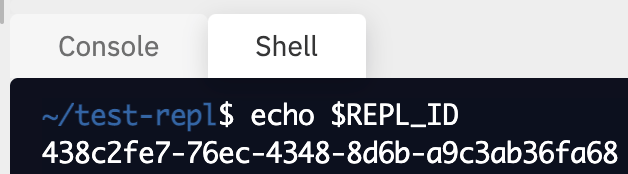 2. Construct your connection URL by replacing `REPL_ID` in with the output from above: `<\REPL_ID\>.id.repl.co`
3. Open the [noVNC client](https://novnc.com/noVNC/vnc.html) in a separate browser tab.
4. Open connection settings.
2. Construct your connection URL by replacing `REPL_ID` in with the output from above: `<\REPL_ID\>.id.repl.co`
3. Open the [noVNC client](https://novnc.com/noVNC/vnc.html) in a separate browser tab.
4. Open connection settings.
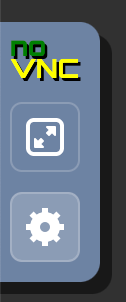 5. Expand the WebSockets field. Enter your connection URL (`\.id.repl.co`) in the `host` field, and leave the `path` field empty.
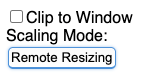
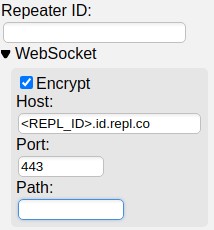 6. Change the `Scaling Mode` to `Remote Resizing`:
 7. Use the `runner` username and the password configured above when asked for credentials.
## Examples
* PyGame
* Python matplotlib
* Java Processing
7. Use the `runner` username and the password configured above when asked for credentials.
## Examples
* PyGame
* Python matplotlib
* Java Processing